A Project in Perplexity is a folder with a memory
It holds your sessions, your files, your instructions, your connected tools and your skills in one place, and everything inside can see everything else. One Project for the business. Your Material folder attached. Each agent working in its own session inside it. That is the layout we use for every install.
The Scaling Agents come as one zip file in your welcome email
You attach it to a session inside your Project and ask Computer to install it. The installer puts every agent in, each with its own workspace, writes an install record, and tells you to run Foundation. Do not run Foundation. That is the first thing we do together on the call, because the questions it asks are better with us in the room.
What you do before the call
Click Projects in the left sidebar, then New project.
Name it after your business. Create it.
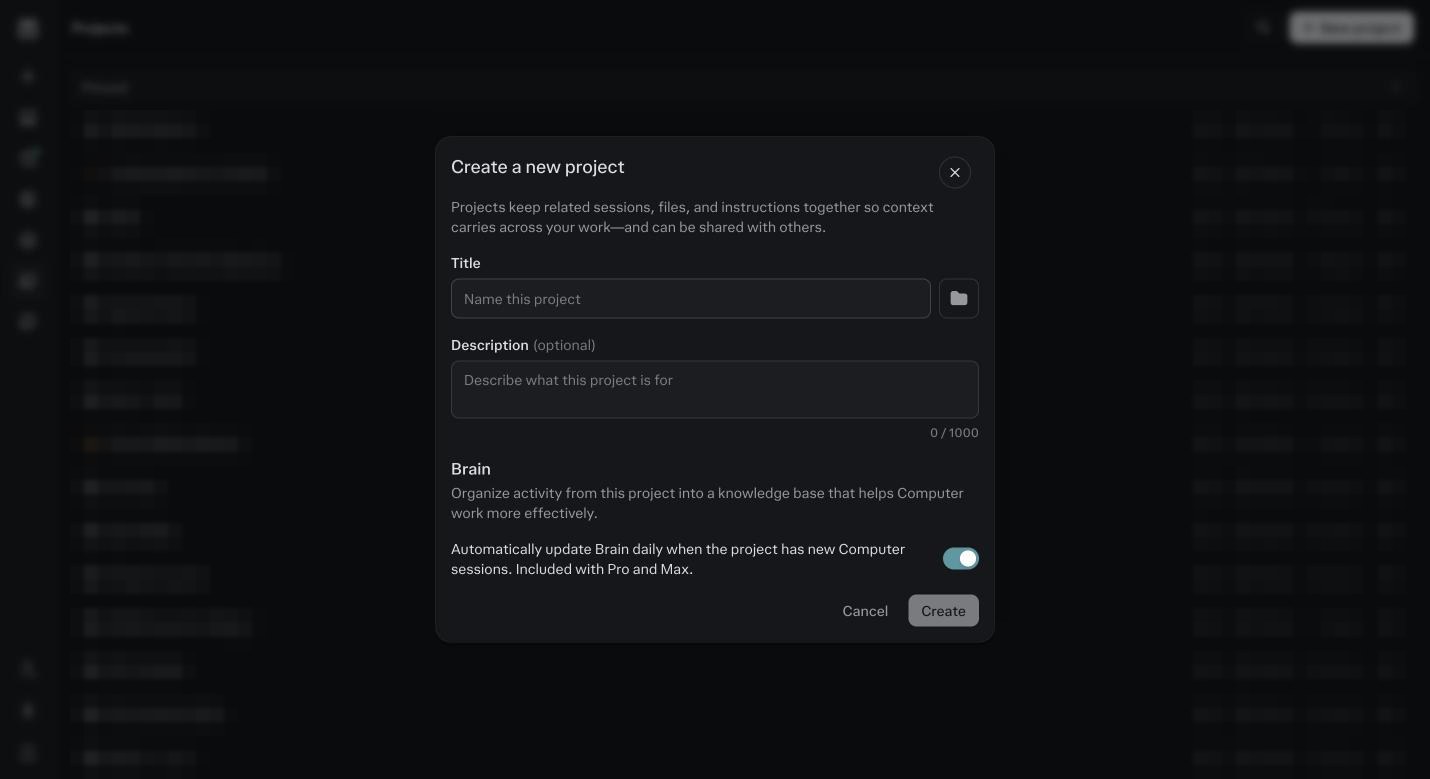
The New project dialog. Name it after your business, not after the agents. Click the plus next to Sources.
Add files from cloud, pick Google Drive, select your Material folder from step 5.
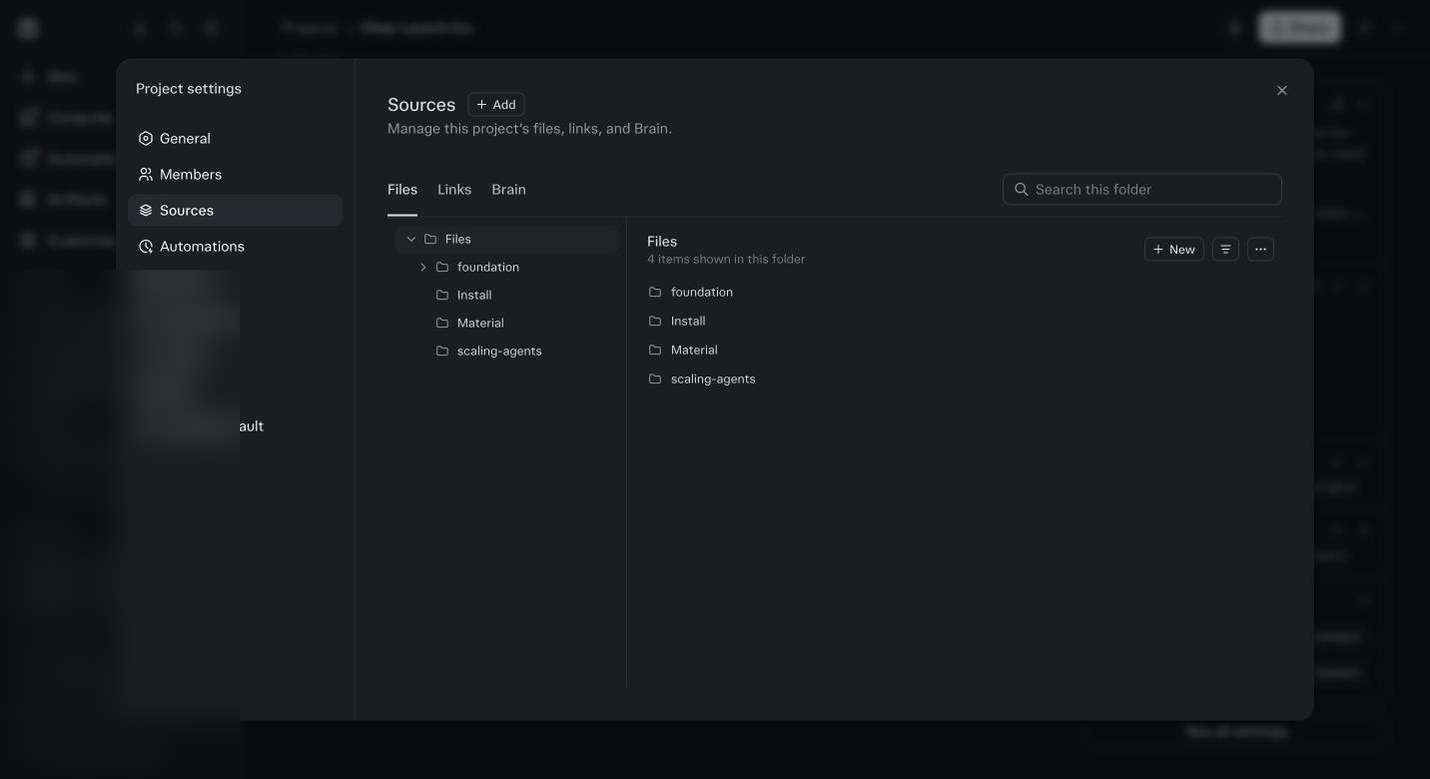
Sources. Your Material folder from Drive. Foundation reads from here. Open General in Project settings.
Default mode Computer. Default effort High. Paste Block C from step 5 into Instructions. If you skipped the prompts, write three lines: what you sell, who buys it, how you want it to work with you.
Download the Scaling Agents bundle zip from your welcome email.
Do not unzip it.
In your Project, start a new session.
Click the plus in the composer, Add images and files, pick the zip. Type: install this bundle into this Project. Send.
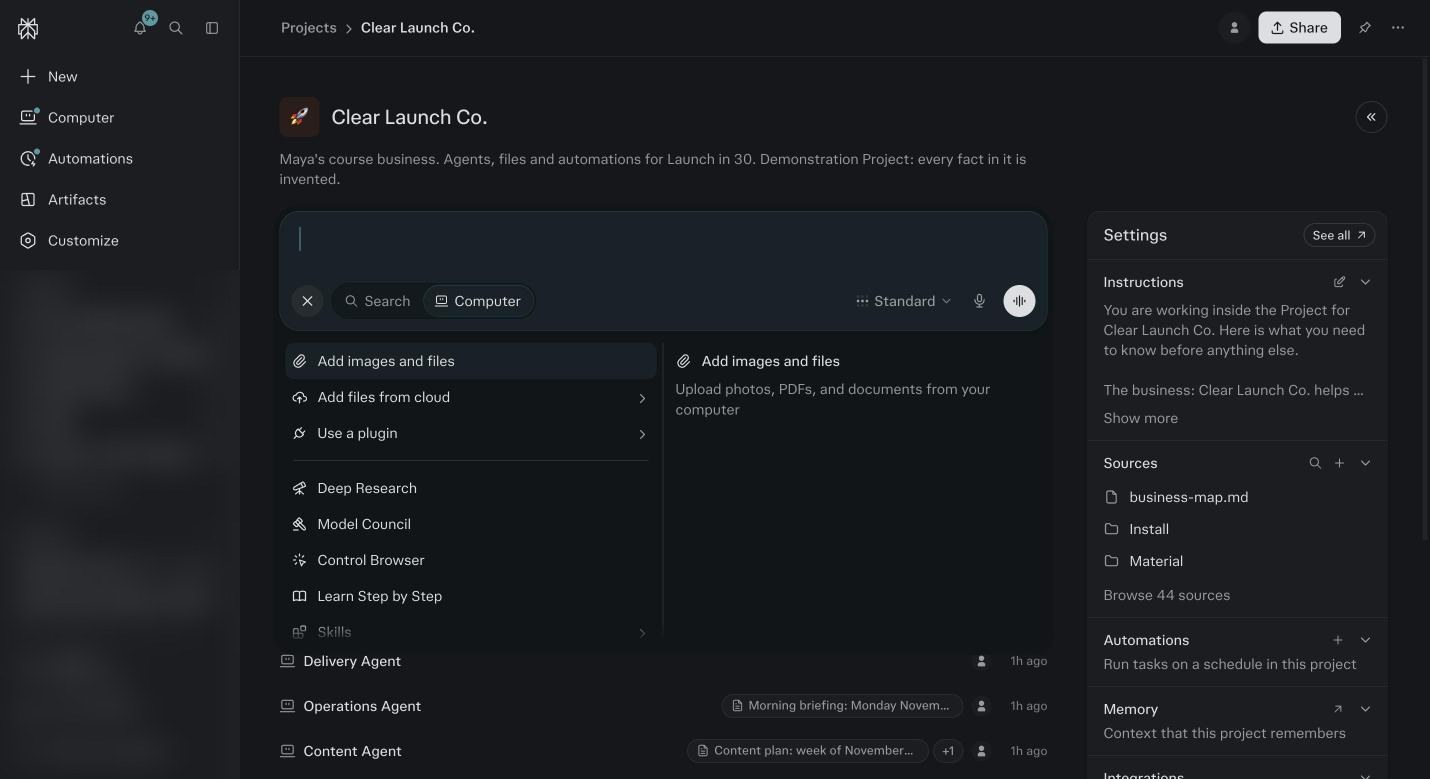
The plus menu. Add images and files is how the zip gets attached. Watch it verify each pack.
When it finishes it says the install record is written and to start with Foundation. Stop here.
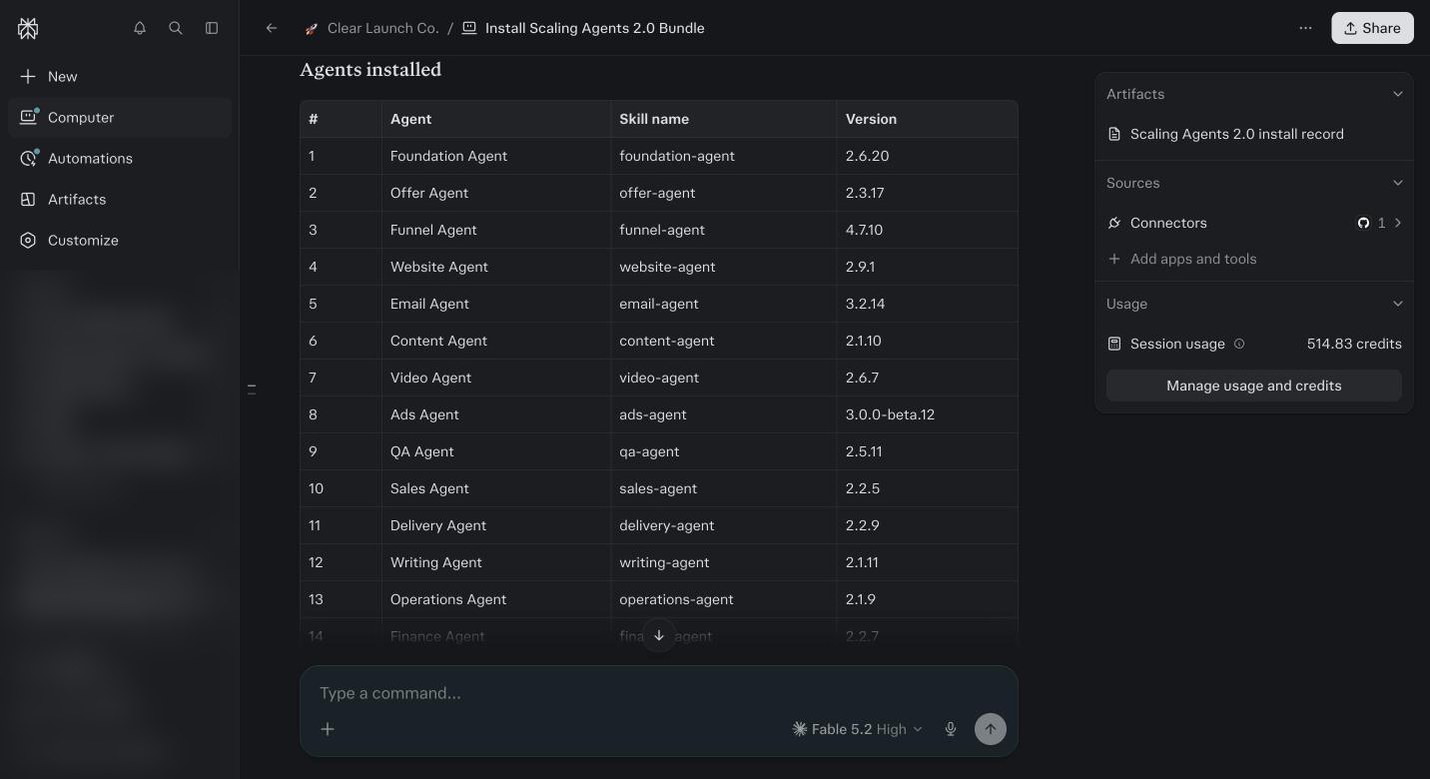
The installer finishing. Every pack verified. Do not run Foundation yet. Confirm.
Project settings, then Skills. Every agent is listed. If a pack failed, screenshot it and post in the Telegram group.
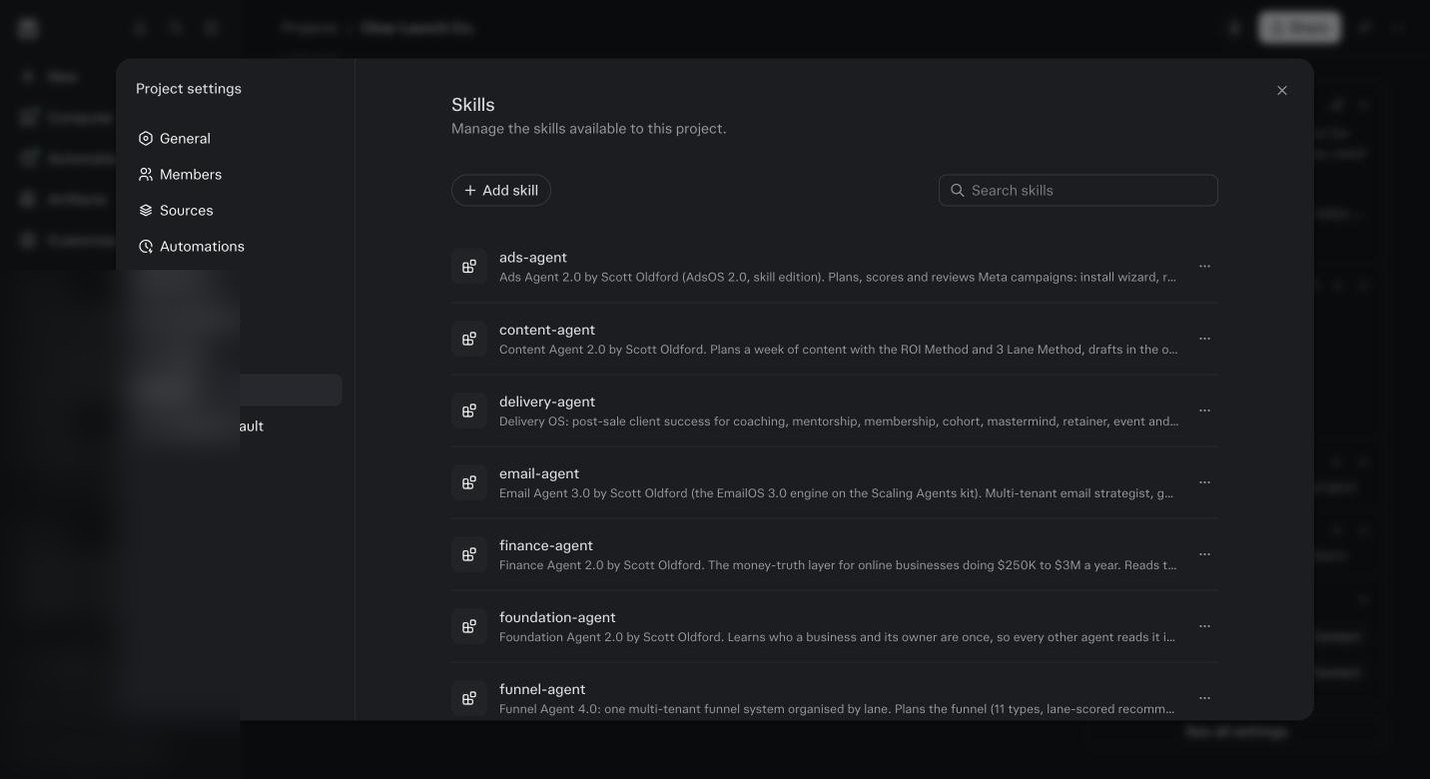
Project settings, Skills, after install. One row per agent. The full walk through is in Module 6: Projects and Module 9: Scaling Agents.
Before you ask
It asked me to run Foundation. Should I?
No. Close the session. We run it with you on the call.
The install failed on one pack.
Screenshot the message and post it in the Telegram group. Usually it is a version mismatch and we send you a fresh zip.
Can I open an agent and try it?
You can, but it will not know anything about you yet. Everything it does before Foundation is generic. Wait for the call.