The install is the start
The first month is what decides whether it sticks.
The people I have watched keep this running did the same three things in their first thirty days. They used it on real work every day. They fixed what was wrong the moment they saw it. And they sat down once at the end and decided what to keep.
The ones who let it sit did the opposite
They installed everything, ran a demo, got busy, and came back to a Project they did not recognize. The agents had not learned anything, because nothing had happened.
So here is the month, week by week
It is built around your map from module 8. Each week moves one or two lines from that map into the agents, and nothing else. Then on day 30 you sit down and run the review: what ran, what you used, what it cost, what moves next.
If my team did your install, you get the same rhythm
The difference is a check in from us on day 10 and a review call with us on day 30.
What you do, step by step
Week one, days 1 to 7.
Use the top line of your map every working day. Same agent, same job, real work. Correct it with reasons. By Friday the agent should be returning work that needs only your last five percent. Run Session usage after each job and write the number on your map. Do not add anything new this week.
Week two, days 8 to 14.
Add the second line. Create your two automations from module 15 if you have not. Check Memory, Manage, once and delete what is wrong. Open Analytics on Sunday and look at the model split. If most credits are on a heavy model, move your automations to Standard.
Week three, days 15 to 21.
Add the third and fourth lines if they are on your map. Wake up one add on agent if a line needs it. It is already installed from module 7, so this is its first read from module 10. Ask the Strategy Agent to score your six pillars from what is in the Project so far. Read it. Do not act on it yet.
Week four, days 22 to 29.
Add nothing. Tighten. Any session that holds more than one job gets closed and split. Any automation whose output you have not opened twice gets paused. Any correction you have made three times becomes a rule: tell the agent to turn it into one.
Day 30, the review.
Open two screens: Usage and credits, and Automations. Then open your map. Answer the four questions below for each line and each automation, write the answers in the Weekly Review session, and ask it to save them as a file called day-30-review.
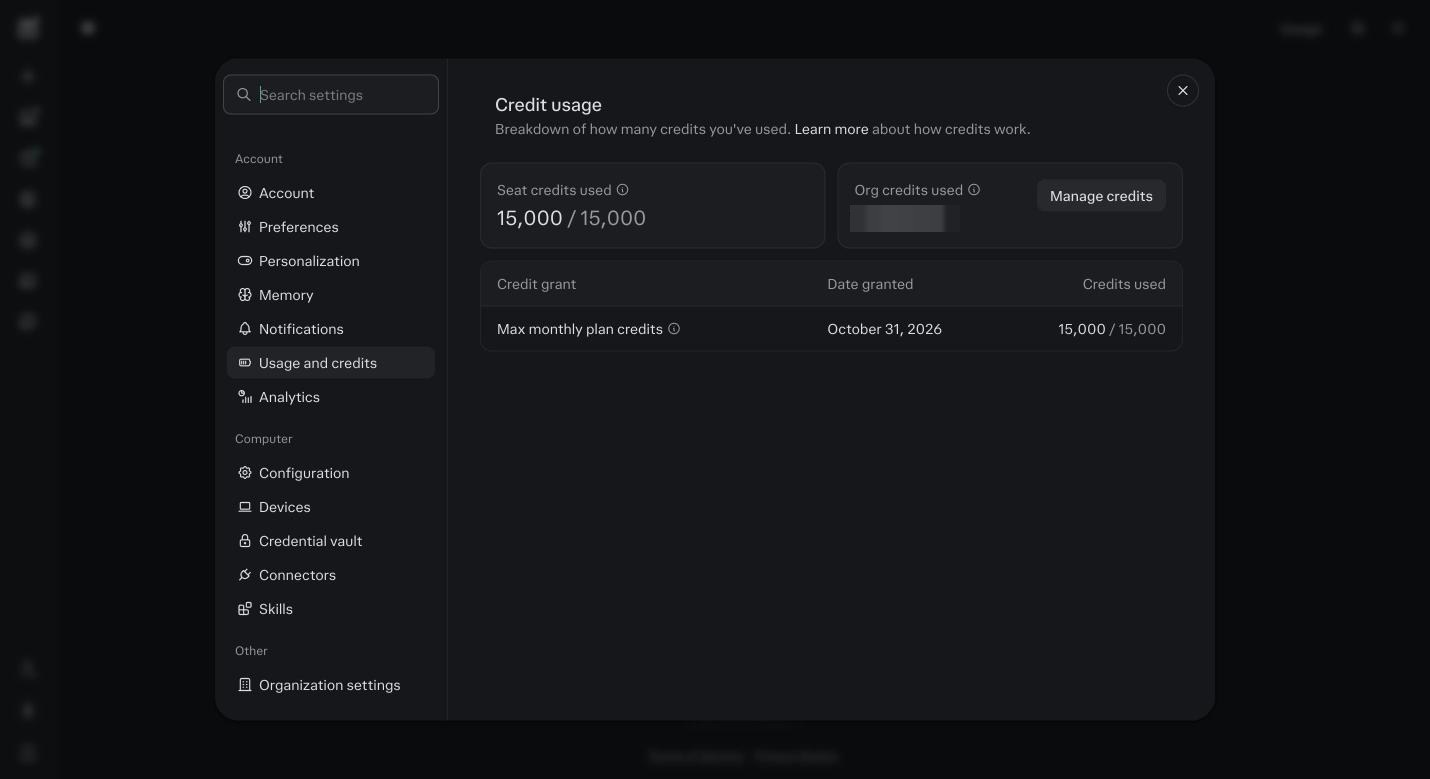
Usage and credits on day 30. Compare the number to the budget you wrote in module 17. Day 30, decide.
From the review: keep what you used every time. Slow down what you used sometimes. Turn off what you did not use. Add the next line from your map, one line, with the agent it needs. Put the next review on your calendar for day 60.
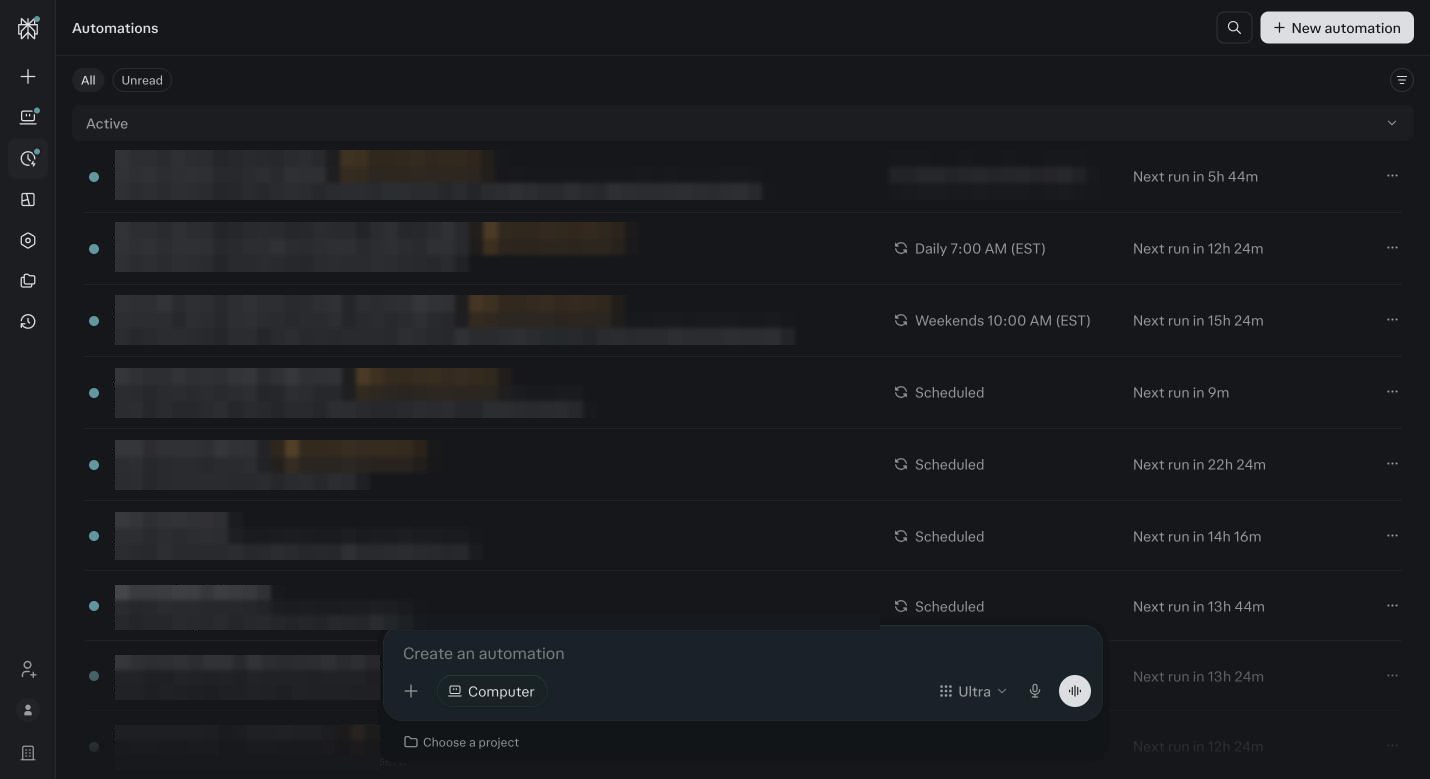
The Automations list at review time. Each row gets the four questions. Every month after.
Same review, shorter. One new line from the map if the last one is working. Strategy Agent scores the pillars. Foundation gets one update if anything changed. That is the whole maintenance.
Week by week
| When | Do | Done when |
|---|---|---|
| Week one | Top line of the map, every working day, same agent, real work. Session usage noted after each job. | The agent returns work that needs only your last five percent. |
| Week two | Second line. Two automations live. Memory checked once. Analytics read on Sunday. | Both automations have run and you have opened the output. |
| Week three | Lines three and four. One add on agent woken up if needed. Strategy Agent scores the pillars. | A first read saved for the new agent, and a pillar score in the Project. |
| Week four | Add nothing. Split long sessions. Pause unread automations. Turn repeated corrections into rules. | Every session is one job, every automation is one you read. |
| Day 30 | The review: ran, used, cost, next. Keep, slow, stop, add one line. | A day-30-review file in the Project and the day 60 review on your calendar. |
The four questions
Did it run?
For each automation: did it fire on schedule every time. If it missed, module 18, the automation rows.
Did you use it?
For each automation and each agent line: did you open the output, approve it, act on it. Honest answer. Used every time, used sometimes, never opened.
What did it cost?
Session usage per agent session, and the Analytics model split. Compare to the budget from module 17. If it is high, look at thread length first, then the model, then the schedule.
What moves next?
Back to the map. Is the next numbered line still the one that hurts. If yes, that is the add. If your constraint moved, follow the constraint, not the list.
Before you ask
What if I fell off in week two?
Start week one again from today, with just the top line of your rhythm. Do not try to catch up on everything at once. The month is the same length no matter when it starts.
What if the top line is working and I do not want to add anything?
Then do not add anything. Run the review anyway, because the cost and memory checks still matter. One thing done well every day beats ten things done badly.
How do I know it is working?
You stopped doing the thing on the top line. That is the only measure. Hours back, or a job happening that never used to happen. If neither is true at day 30, the map was wrong, not you. Redo module 8 with what you know now.
How much time a day is this, honestly?
Week one, twenty to forty minutes a day, mostly correcting. Week four, ten minutes to read a briefing and approve a few things. If it is taking longer than that in week four, something is set up wrong, and the fix table in module 18 is where to look.
What do I do on day 60 and after?
The same review, shorter. One new line from the map if the last one is working. Strategy Agent scores the pillars. Foundation gets one update if anything changed. Put the day 60 and day 90 reviews on your calendar before you close this module.
Should I add agents in month two?
One, if a line on your map calls for it. Run its first read and give it two weeks. Waking three at once in month two is the same mistake as waking twelve in week one.
What if an agent is not earning its keep?
Turn its automation off and leave the agent installed. Nothing is lost. If the line it was on still hurts, the fix is usually Foundation or the first read, not the agent. Check those before you give up on it.
When do I rerun the mapping session?
At day 30 if your constraint moved, and any time your business changes shape: a new offer, a new team member, a new channel. Open the Project, new session, paste the mapping prompt from module 8. It reads the old map and asks what changed.