One agent is useful
Agents that hand work to each other are a team.
Here is how it works underneath, because once you see it, the rest is obvious. Every agent in your Project has three things it can see. The shared files: Foundation, your map, the install record, and anything an agent has saved to Project files. Its own workspace: a folder in Project files with its own name on it, where it keeps its notes, its drafts and its rules. And the session you are in with it. It cannot see another agent’s session. It can see what another agent saved to the shared files.
That is the whole trick
Agents do not talk to each other in a chat. They hand each other files. The Offer Agent writes a spec and saves it. The Funnel Agent reads the spec. The Content Agent approves three posts and saves them. The Image Agent reads them and renders. The Proof Agent builds the bank. The Email Agent pulls a story from the bank. Each one works in its own session, with its own workspace, and the shared files are the table in the middle they all put things on.
Why it is built this way instead of one giant session with every agent in it. Two reasons. Cost: every message you send in a session makes it re read the whole session, so one session with six agents’ worth of history costs six times as much on every message. Clarity: an agent with one job and one workspace does that job the way you taught it. An agent sharing a session with five others starts answering their questions.
So the habit is simple
One agent, one session, one job. When the job needs another agent, you say: hand this to the funnel agent. It saves what the next agent needs to the shared files and tells you what to open next. You open a new session, say the next agent’s name, and it picks the handoff up. Below is a week at Clear Launch Co. so you can see the whole thing move. Monday to Thursday are jobs the agents did in the demo Project. Friday and Sunday are the automations from module 15, which the demo did not run.
What you do, step by step
Open your Project files and look at the folders.
You will see foundation, scaling-agents, and one folder per agent that has run. That is the shared table and the workspaces. Open your Foundation folder and the install record so you know what every agent can see.
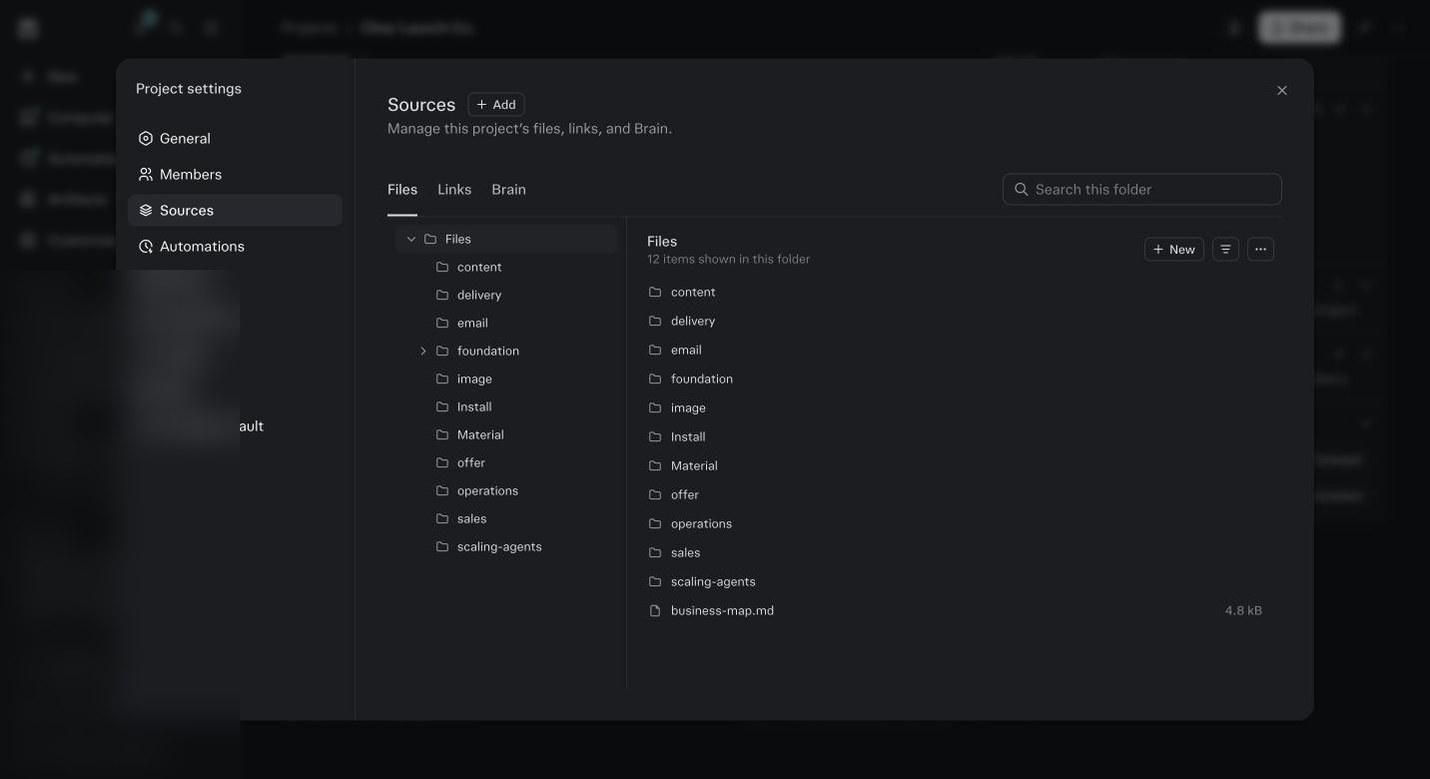
The demo Project’s files after a week. One folder per agent that has run, plus foundation, scaling-agents, Material and the map. This is the shared table. Pick two agents that share a job on your map.
Offer and Funnel. Content and Image. Sales and Email. Open the first one’s session and give it the job.
When the first agent finishes, say: hand this to the [second agent].
Watch what it does. It writes a handoff file to Project files and tells you to open the next agent. Read the handoff file. It should have what the job is, what was decided, and what the next agent needs. If it is missing something, say so now, before the handoff.
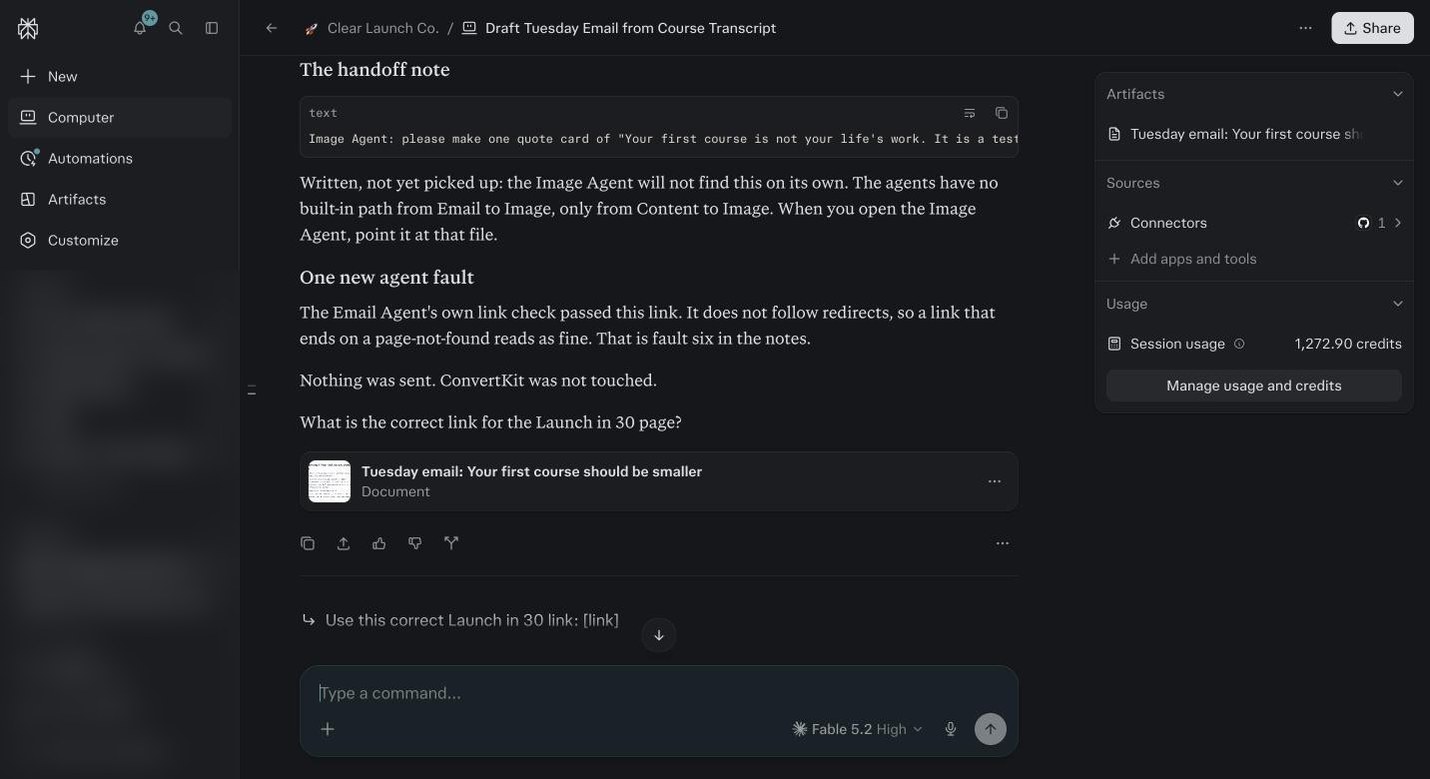
The Email Agent writing a handoff note for the Image Agent, and saying plainly that Image will not find it on its own. You point the next agent at the file. Start a new session.
Say the second agent’s name. It should open by saying it found the handoff and what it is about to do. If it does not, say: read the handoff from the [first agent] in Project files. Then let it work.
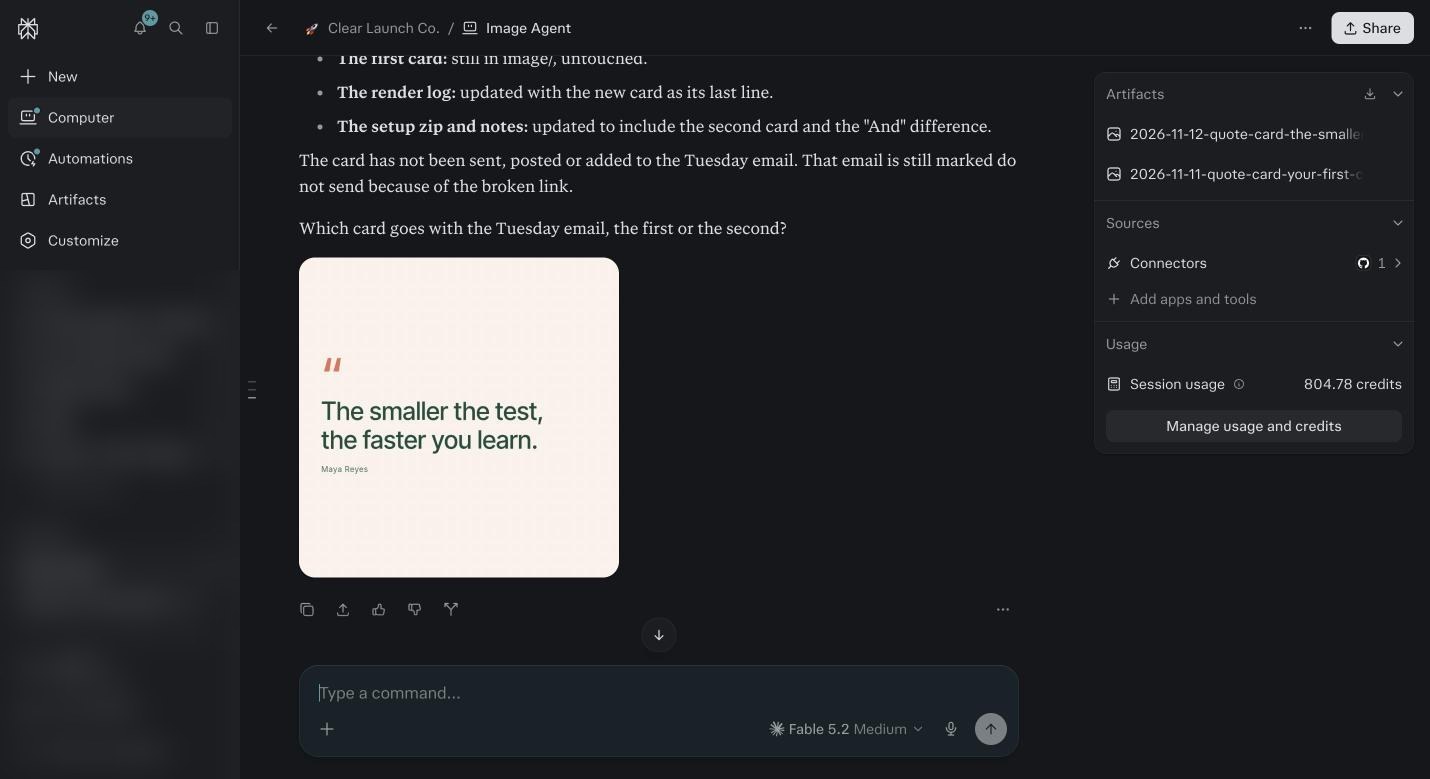
The Image Agent in its own session. Maya changed the line after the first card, so it made a second one in the same brand, flagged that the transcript says “And the smaller the test”, kept the first card, and asked which one goes with Tuesday’s email. 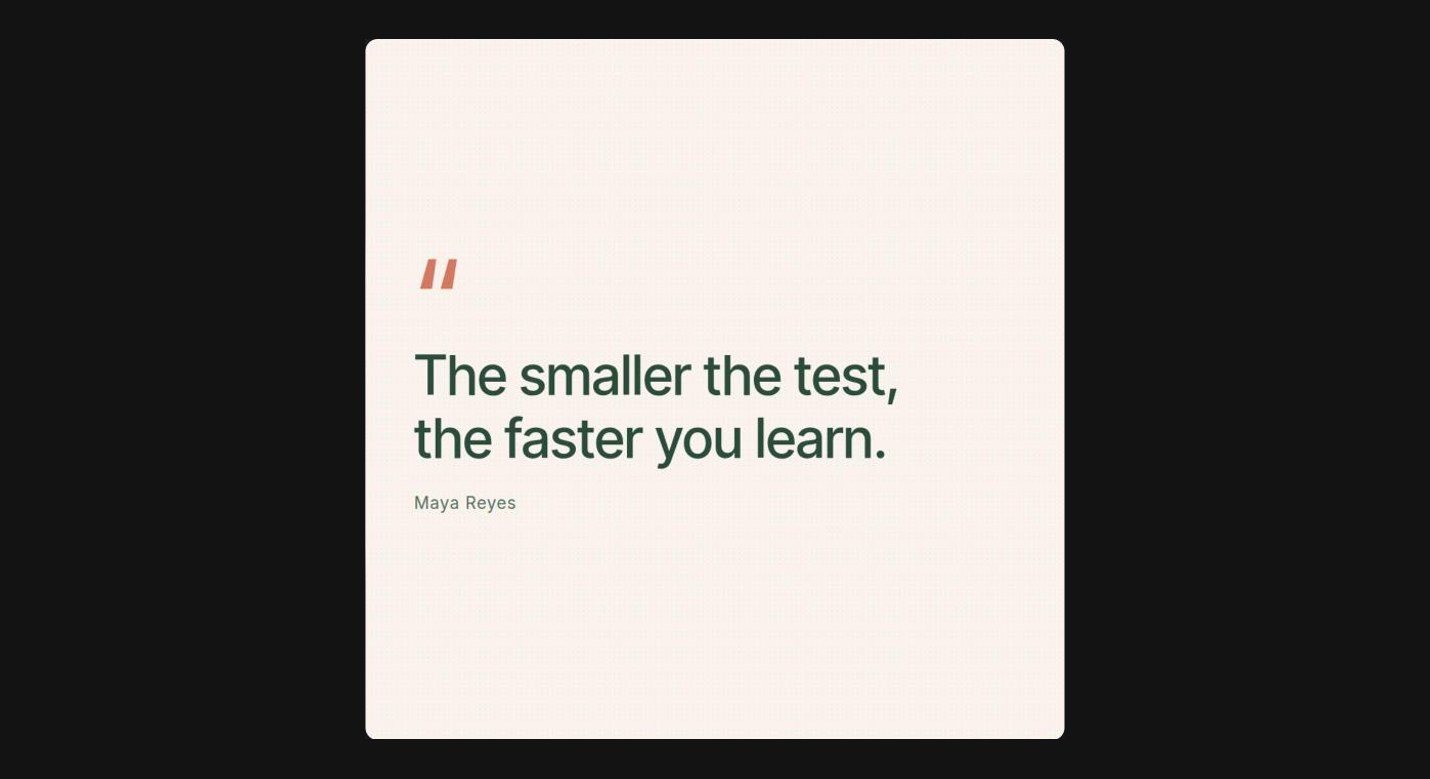
What came back. One line from Tuesday’s video, in the brand, 1080 by 1080, saved to image/ with the first card next to it. Correct something in the second agent’s output with a reason.
Then say: turn that into a rule. Open Project files and find the rule in that agent’s folder. That is how you know the workspaces are real.
Open the Sales or Operations Agent and ask: what did the other agents do this week.
It reads the shared files and tells you. If it can only see its own work, something was saved to a session instead of to Project files. Tell the agent that did the work to save it.
Write down the handoff pairs that make sense for your map.
Most businesses have three or four. Those pairs become your automations in module 15.
The Four Ways Agents Connect
Shared files, the table in the middle
Foundation, your map, the install record, and everything agents save. Every agent reads from here before it starts. If a fact is not in the shared files, no agent knows it. That is why Foundation comes first.
Each agent’s own workspace
A folder with the agent’s name in Project files. Its notes, its drafts, its rules from your corrections. No other agent writes in it. When you say turn that correction into a rule, this is where the rule lands.
The handoff
You say: hand this to the email agent. The agent writes a handoff file, what the job is, what it decided, what the next agent needs, and saves it to the shared files. The next agent opens with it already read.
Automations that read each other
The Sunday Strategy Agent reads what every agent produced that week. The Monday Operations briefing reads what Strategy decided. Module 15 wires these. They connect through the same shared files, on a schedule.
One Week, Nine Agents, One Owner
| Day | What runs | Who hands to whom | What Maya does |
|---|---|---|---|
| Monday, 7am | Operations Agent automation reads the inbox and builds the day’s briefing. | Reads Sunday’s Strategy notes from shared files. Flags a new student’s email to the Delivery Agent. | Updates the Kajabi card, rules on one refund, checks Tuesday’s thumbnail. Fifteen minutes. |
| Monday, 10am | Maya opens the Content Agent with Tuesday’s video transcript. | Content saves the outline and three captions, hands the captions to Image. | Approves the plan. Ten minutes. |
| Tuesday | Email Agent writes the Tuesday email from the same transcript. Image Agent renders the cards. | Email reads the offer spec for the deadline rule and hands one line to Image. Image reads the approved captions. | Approves the email copy, fixes the dead link, approves the load for 9am. Approves the cards. |
| Wednesday | Sales Agent drafts replies to the week’s DMs. | Reads the offer spec so every reply points at the right offer. Hands the two who bought to Delivery. | Reads the five drafts, edits one, sends them from Instagram herself. |
| Thursday | Delivery Agent sets up the two new students. | Reads the offer spec for the Q&A rule. Writes the welcome and the day 30 and day 60 asks to delivery/ for the VA. | Reads the drafts, corrects one date, says go. The VA sends. |
| Friday | Finance Agent automation reviews the week’s transactions. Proof Agent checks the day 60 replies for new testimonials. | Finance flags what it cannot place. Proof adds two to the bank for Email to use. | Answers the four transactions. Ten minutes. |
| Sunday, 6pm | Strategy Agent automation scores the six pillars from everything produced this week. | Reads every agent’s saved work. Writes the week’s notes for Monday’s Operations briefing. | Reads the one page. Decides nothing until Monday. |
Before you ask
Can two agents be in one session?
They can, and you should not. They share history, cost more on every message, and start answering each other’s jobs. One agent, one session. Hand off through files.
What if the second agent cannot find the handoff?
The first agent saved it to the session instead of Project files, or named it something odd. Go back to the first session and say: save the handoff for the [agent] to Project files. Then try again.
Do handoffs cost credits?
A little. Writing the handoff file is a few hundred credits at most. Far less than the second agent asking you twenty questions it could have read.
Can I hand off to an agent that is not installed?
The first agent will save the handoff and tell you the agent is not installed. Install it from your bundle through Project settings, Skills, Add skill, then open it. The handoff is waiting.
How do agents know about each other’s work without a handoff?
Through the shared files. Anything saved to Project files is visible to every agent. Anything left in a session is not. If you want other agents to know something, make sure it was saved.
Does this work across Projects, for an agency?
Each client Project has its own shared files and its own agents. They do not see each other. Agents that apply to every client sit at the account level and read whichever Project you open them in. That is the privacy wall.
What happens to the workspaces when I update an agent?
The new pack replaces the instructions. The workspace folder, with your rules and notes, stays. You do not lose your corrections on an update.
How do I see everything the agents did this week?
Ask the Strategy Agent or the Operations Agent. Both are built to read the shared files and summarize. Or open Project files and read the folders yourself. Everything is there in plain text.