A connector is a permission
Think of it like this. You log into a tool once, you approve what Perplexity is allowed to read and do there, and from then on any agent can reach that tool by name. No copy and paste. No screenshots of your dashboard. The Ads agent asks Meta for your last seven days of spend and Meta answers.
There are three ways a tool can plug in
I want you to know which one you are looking at before you start. Native connectors use the tool’s own login screen, the same one you see when an app asks to use your Google account. Most of your tools work this way. API keys are for tools with no login screen for this: the tool gives you a long string of letters, you paste it into a locked box in Perplexity called the Credential vault, and the vault hands it over whenever an agent needs it. And when a tool has neither, Comet, which is Perplexity’s own web browser, drives the site the way you would. That comes in module 16.
Inside every connector is a list of permissions
Each thing the connector can do has its own setting: Disable, Always ask, or Allow. Reading is safe to allow. Anything that sends, deletes or spends stays on Always ask until you have watched it work a few times. That one screen is most of your safety.
This is homework before the fun part
Do it before Foundation, before agents, before anything that costs credits. And one rule to start: use one Google account for Gmail, Calendar and Drive. Mixed up Google accounts is the most common thing I end up fixing.
What you do, step by step
Open Connectors.
On most accounts it is a page called Plugins in the sidebar. On some, including mine, it still sits under Customize. Same page, two names. The Discover tab lists everything available.
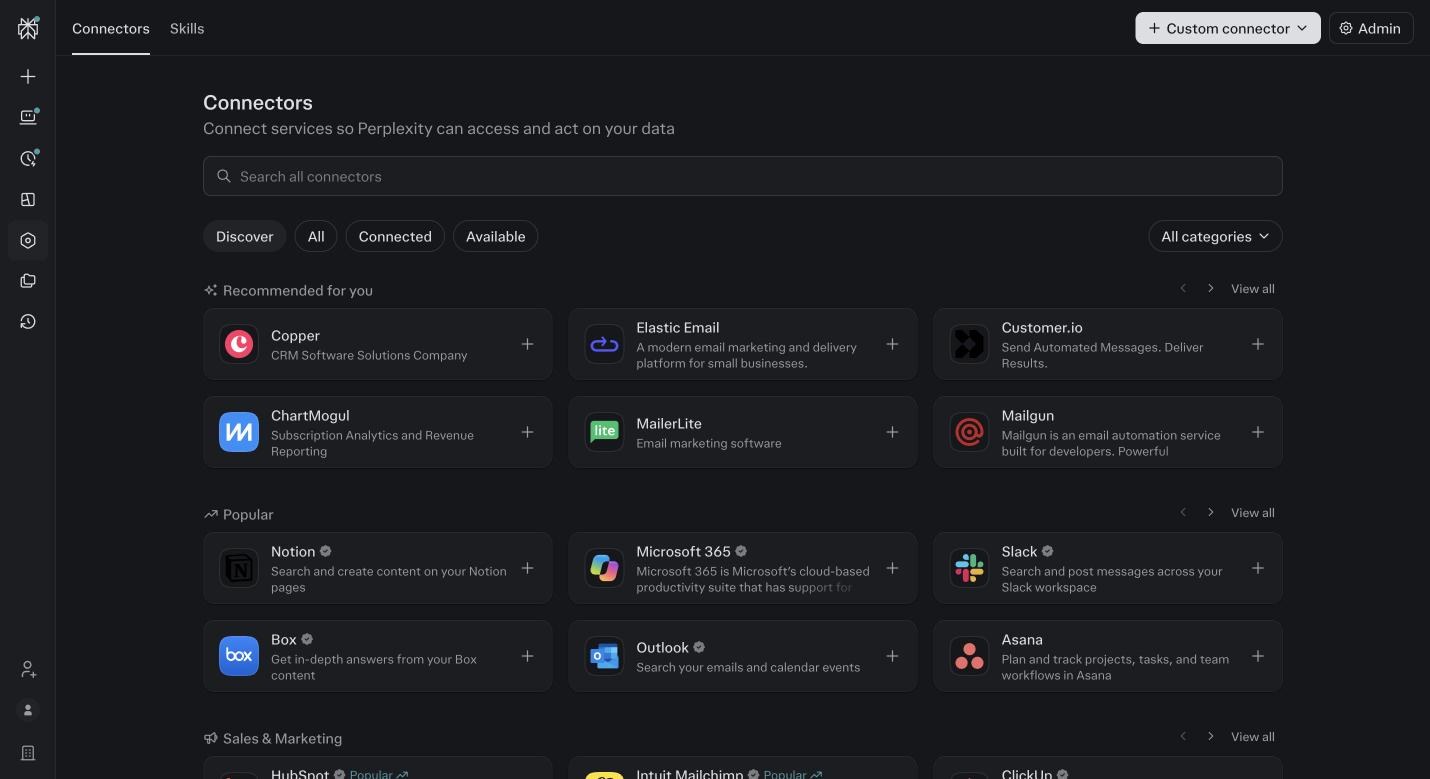
Connectors, Discover tab. Browse or search. Each card is one tool. Search for Google Drive and click the card.
The detail page shows what it can do and an Add connector button. Click it. A Google login opens. Pick your one business Google account and approve the full permissions. Repeat for Gmail with Calendar.
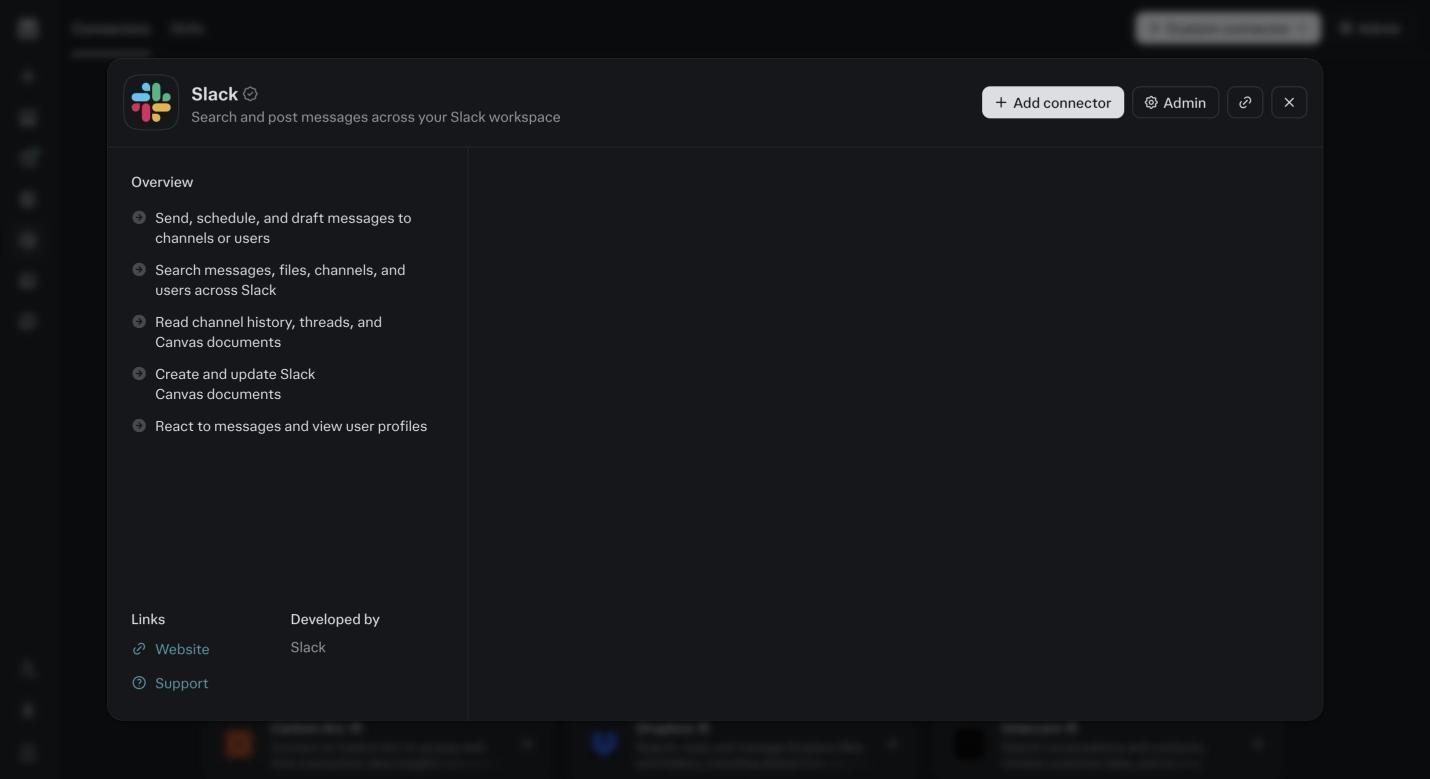
Inside a connector card before connecting. The description, what it can read and do, and the Add connector button. This one is Slack, the screen is the same for Drive. Open the Connected tab.
Every card shows which account it is using. Check the Google email on Drive, Gmail and Calendar match. If one is wrong, remove it and connect again with the right account.
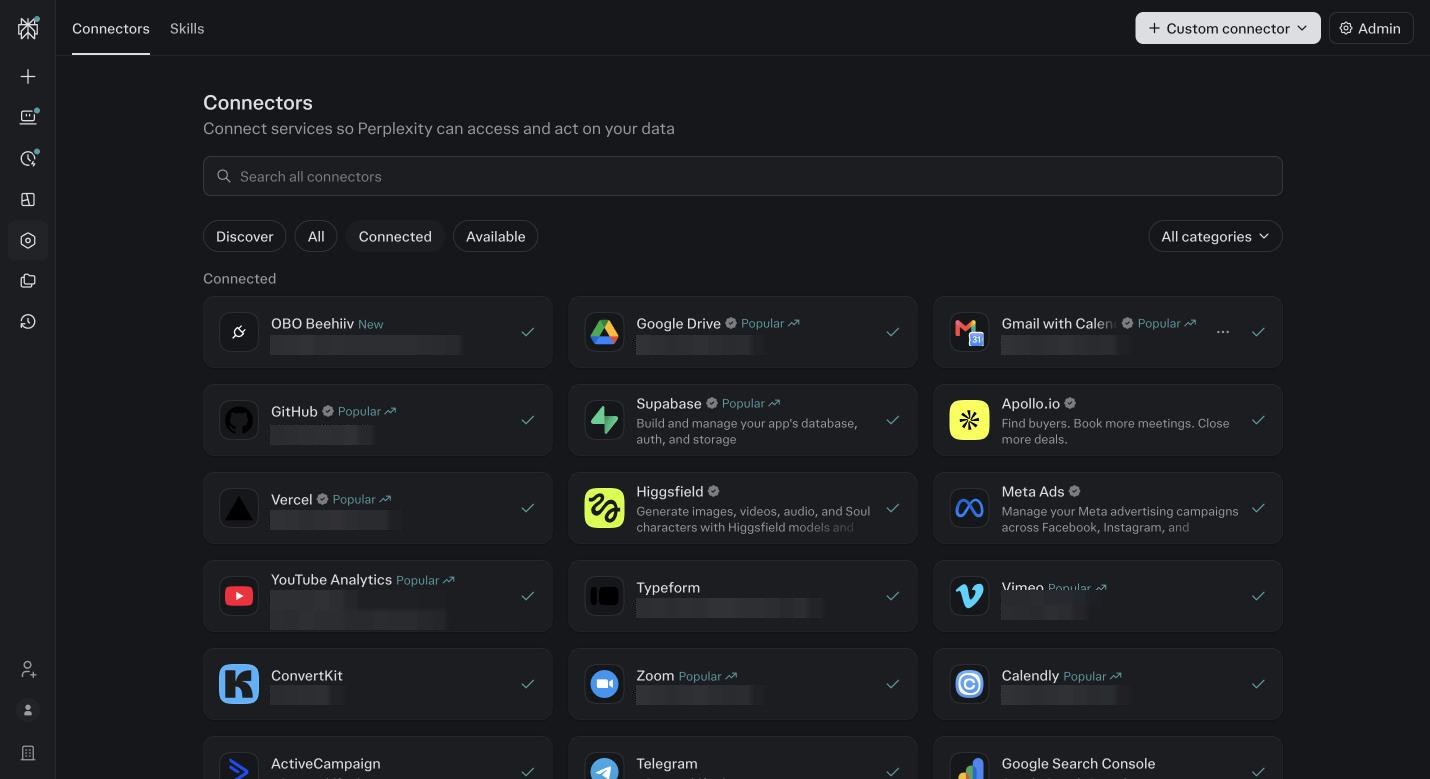
The Connected tab. Each card shows the account it is using. This is where you catch a wrong Google login. Click into the Google Drive card.
Scroll the tool list. Each row has Disable, Always ask or Allow. Leave read tools on Allow. Set anything that creates, moves or deletes files to Always ask. Do this for every connector you add today.
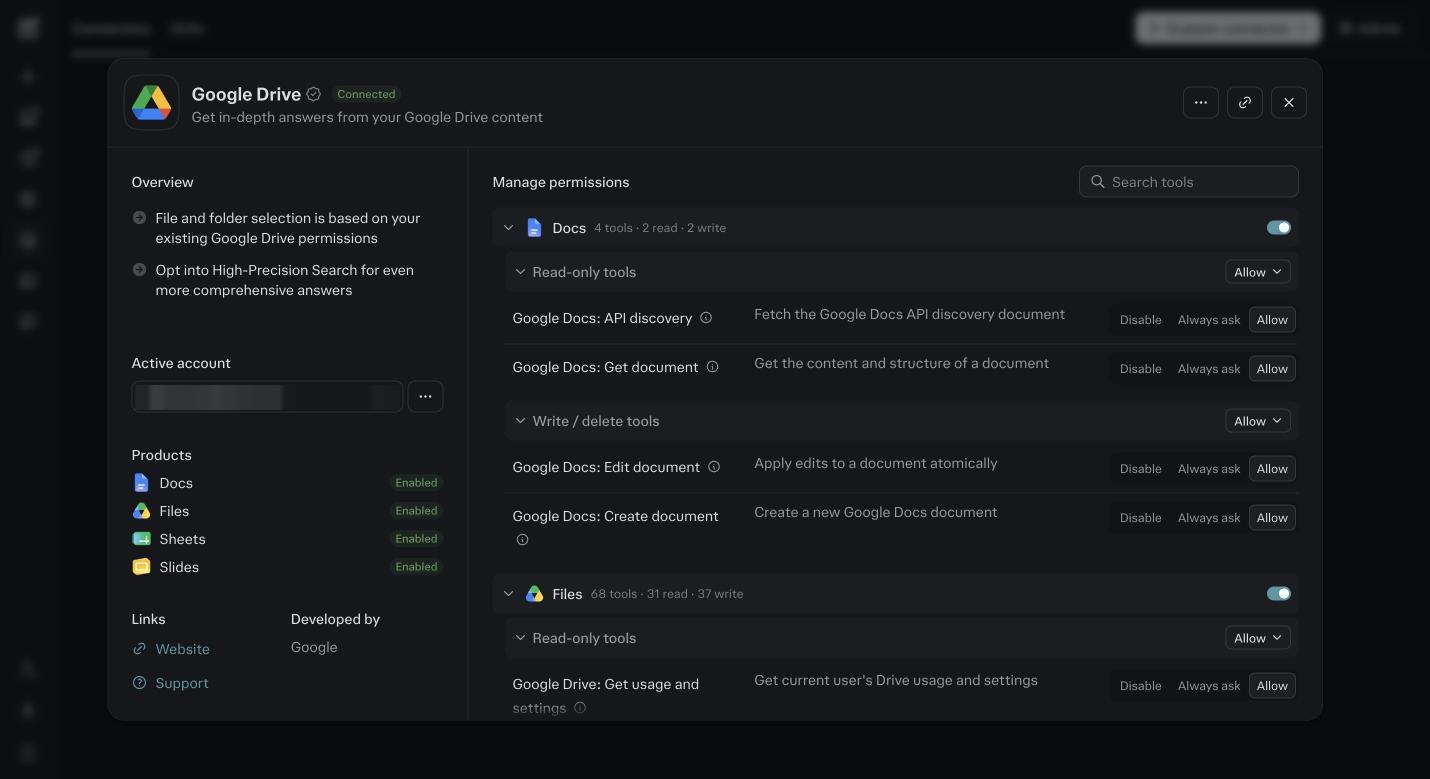
Inside the Drive connector. One permission per tool. Reading on Allow, writing on Always ask. Now work down the six pillar cards below and connect what your sketch from module 3 needs.
Meta if ads are on your sketch. Zoom if delivery or content are. Your CRM, Calendly, Stripe, QuickBooks. Skip what you do not use. A connector you never use is one more thing that can break.
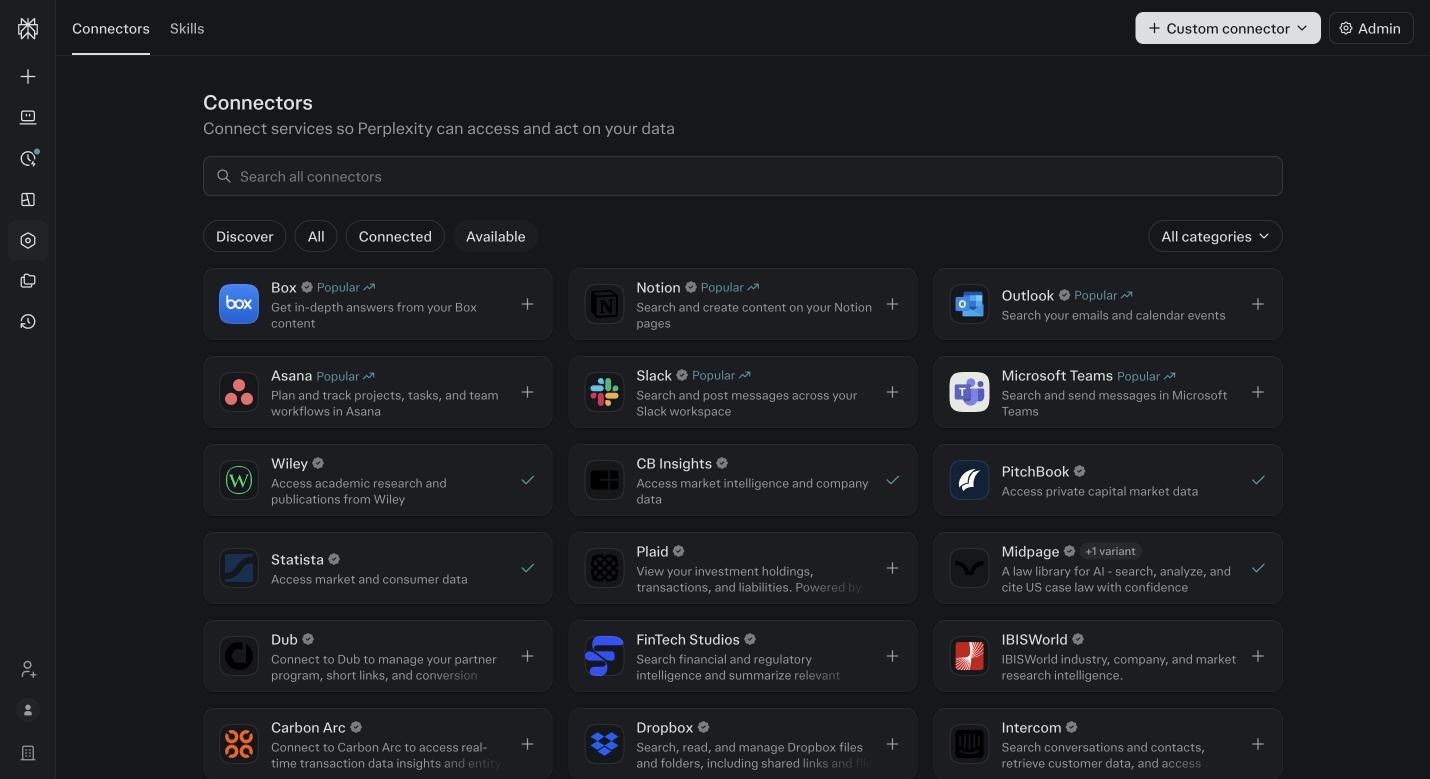
More of the catalog. Over four hundred tools. Connect what the sketch needs, not what looks interesting. For API key tools, open Settings, then Credential vault, then Add credential.
Have the key copied before you open the form. The form asks for a name, the host, the credential type and the value. Each card below gives you exactly what to type. Save, then run the test prompt.
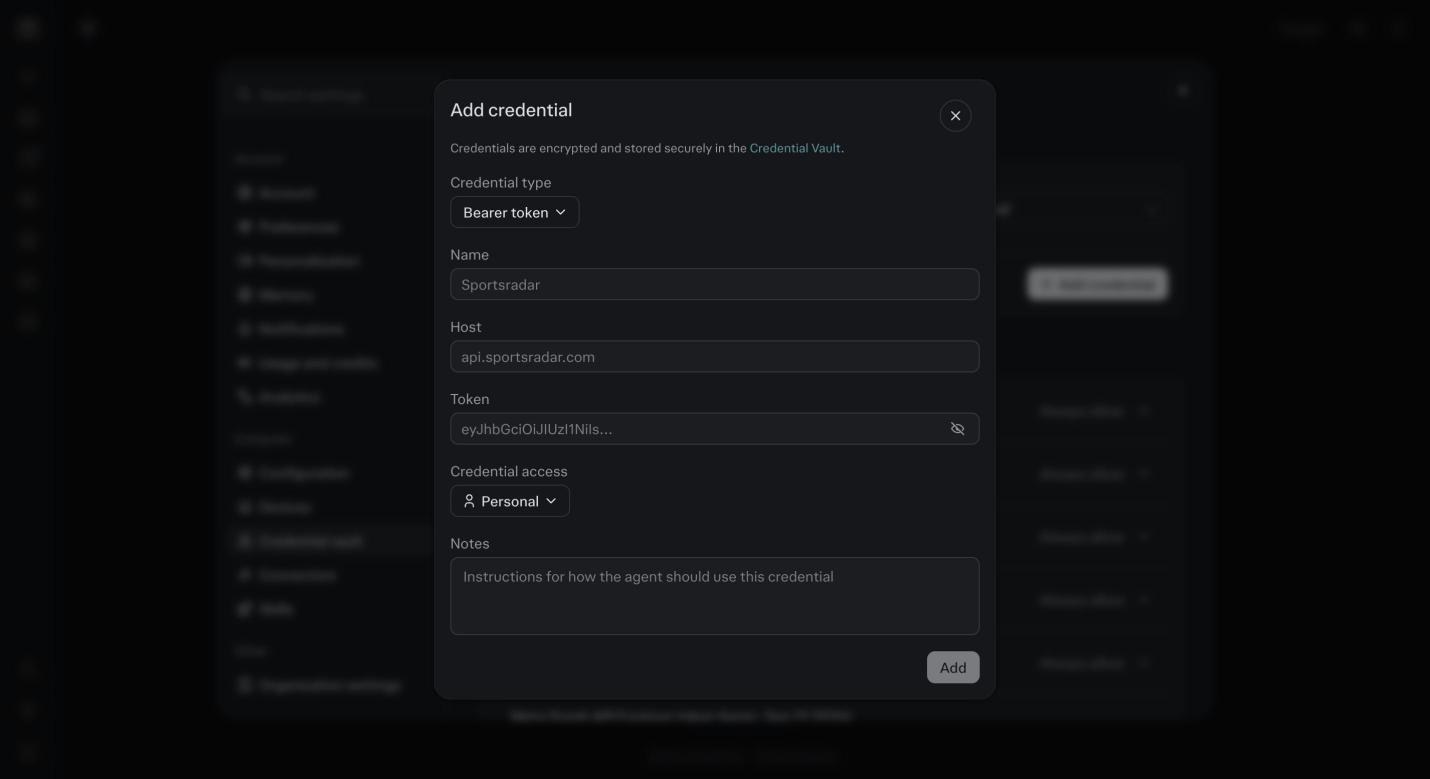
The Add credential form in the vault. Four fields: name, host, credential type, value. The API key cards further down this module tell you exactly what to type in each field for your tool. After each connector, run its test prompt in a new session.
If it returns data you recognize, move on. If it errors or returns nothing, fix it now, not during Foundation. The usual fix is the wrong account or a missing permission.
Connect by pillar
Marketing
- Connect
- Meta Ads. Your email platform (ActiveCampaign, Kit, beehiiv or Mailchimp). YouTube. Search Console. Typeform.
- Known trap
- Email platforms ask for an API key, not a login. Meta needs you to be an admin on the business assets.
- Test prompt
- Show my last 7 days of ad spend by campaign
Sales
- Connect
- Gmail. Calendar. Calendly. Zoom. Your CRM if you have one (HubSpot, Pipedrive, HighLevel). Stripe or Commas.
- Known trap
- HighLevel API keys take the longest to set up. Help Scout has no vault path, it runs through Comet. Use the cards below.
- Test prompt
- List this week’s booked calls with each lead’s last email
Delivery
- Connect
- Drive. Docs. Zoom. Vimeo. Telegram or Slack.
- Known trap
- Zoom recordings finish processing late. The transcript may not exist for an hour after the call.
- Test prompt
- Summarize my last client call recording
Operations
- Connect
- Gmail. Calendar. Drive. Sheets. GitHub. Notion or ClickUp.
- Known trap
- Different Google accounts on Gmail, Drive and Calendar. Use one.
- Test prompt
- What is on my calendar tomorrow and what is unanswered in my inbox
Finance
- Connect
- QuickBooks or Xero. Stripe or Commas. Sheets.
- Known trap
- The accountant owns the login. Commas (formerly FanBasis) needs API access turned on.
- Test prompt
- Revenue this month by product
Mindset
- Connect
- Apple Notes or Notion. Calendar. Local files through the desktop app.
- Known trap
- Desktop app permissions on Mac take a few approvals. Module 16 walks it.
- Test prompt
- Pull my last 5 journal entries
Tools that need a key, not a login
- ActiveCampaign
- In ActiveCampaign: Settings, then Developer, then copy the API key and the API URL. In the vault: name it ActiveCampaign, host is your API URL without https, credential type Header, header name Api-Token, value is the key. Test: how many contacts are on my main list.
- GoHighLevel
- In HighLevel: Settings, then Private integrations, then create a token and select all scopes. The security warning is expected, the connection breaks without them. Copy the token and your Location ID. In the vault: host services.leadconnectorhq.com, credential type Bearer token, value is the token. Keep the Location ID in a note, the agent asks for it. Test: list my pipelines.
- Kajabi
- In Kajabi: Settings, then Integrations, then the API section. Copy the key. This is a different form from HighLevel. Do not paste the HighLevel token here. In the vault: host api.kajabi.com, and pick the credential type the Kajabi screen names next to the key. Test: list my products.
- Help Scout
- Help Scout does not fit the vault today. Its API hands out a token that dies after two days, and you have to trade an App ID and App Secret for a new one each time. The vault holds one fixed key, so a saved Help Scout key stops working on day three. Use Comet instead: log into Help Scout in Comet once, then say: in Comet, open Help Scout and show my last ten conversations. If Perplexity ships a Help Scout connector, this card changes.
- Circle
- In Circle: Settings, then Developers, then API tokens. Create a token and note which API it is for, Circle has more than one. In the vault: host app.circle.so, credential type Header, header name Authorization, value is the word Token, a space, then the token. Test: list my spaces.
- Stripe
- In Stripe: Developers, then API keys, then Create restricted key. Give it read only on charges, customers and subscriptions. Never the full secret key. In the vault: host api.stripe.com, credential type Bearer token. Test: revenue in the last 30 days.
- Every key
- Copy it before you leave the screen that created it, most tools show it once. Save it in your password manager too. Test right away in a new session. If the test fails, the host or the credential type is wrong nine times out of ten.
Before you ask
Is it safe to give Perplexity my Google account?
Safer than most tools you already use. You see exactly what it may do, you can set every write action to Always ask, and you can remove it in one click.
What is the difference between a connector and the Credential vault?
A connector is a login the tool recognizes. The vault holds a key for tools that do not offer a login. Either way, an agent can then reach the tool by name.
Do my clients need to know?
If an agent reads an inbox with client names in it, yes. One line in your onboarding, an AI reads my inbox and calendar, saves an awkward conversation later.
My tool is not in the catalog. Now what?
Three options, in order. Check if it has an API key, module 4’s cards show how. If not, Comet in module 16 can drive its website. If neither, export a CSV and put it in your Material folder.
Which connectors should I do first?
The ones on your sketch. For almost everyone that is Google, Gmail, Calendar and Drive, then your email platform, then your calendar booking tool, then whatever your money runs through. Meta only if ads are on the sketch.
Should I set everything to Allow so it does not keep asking?
No. Reading, yes. Anything that sends, deletes, posts or spends stays on Always ask for the first month. You can loosen it after you have watched it work. You cannot un-send an email.
It connected but the agent says it cannot see my data.
Nine times out of ten it is the wrong account on the card. Connectors, Connected, read the email on the card. Remove it, reconnect with the business account.
How many connectors is too many?
There is no cost to having them. The cost is in setup time and in a messy Connected list. Connect what the sketch needs now. Add others the week a job calls for them.
Does the connector give Perplexity my password?
No. For native connectors you log in on the tool’s own screen and it hands Perplexity a token it can revoke. For API keys, the key is stored write only in the vault, so even you cannot read it back.
Google keeps asking me for a passkey.
You are about the third person this month. Google wants a passkey on the account before it will finish the connection, and deleting your old passkeys does not stop the ask. Make the passkey when it prompts you, once, then run the connector again. It goes through.
It shows my agency account and my own account. Which one?
Your own. Connect the account that holds the business you are installing for, not the agency or parent account above it. Client subaccounts come later, one credential each, inside that client’s Project.
Does Meta need an API key?
Not anymore. Meta is a normal login connector now, you click Connect and approve. It used to want a key, and some older videos still say so. The API key cards below are for email platforms and CRMs, not Meta.
Where do I make the API key, and where does it go?
You make it inside the tool, usually under Settings, then API, Developers or Integrations. It goes in Perplexity under Settings, Credential vault, Add credential. If it fails with an auth error, make a fresh key and try again. A few tools, Vercel is one, will not issue a key until there is a card on the account.
My clients are on WhatsApp. So is my mom. Do I connect it?
If you run client groups in WhatsApp Business, yes, it is worth it. Know that the connector sees the whole account, not just the business side. So tell the agent where to look: only read these groups, and name them. Longer term, move personal chats to a personal number and keep the business number clean. Until then, you can paste one client’s thread into their Project by hand and skip the connector.
I finished connectors and Zoom was not on the Connected tab.
Zoom is the one people skip most, because it does not feel like a data tool. It is. Your call recordings and transcripts are the richest thing the Delivery and Sales agents read. Connect it with the account that owns the recordings, then test: list my last five Zoom recordings. One more thing: a transcript can take an hour to show up after a call ends.
Should the Vercel connection be read only?
Vercel does not give you a read only switch on its tokens. What you choose is reach: your whole account, one team, or one project. Pick the narrowest, the team or project the agent will publish into. Then control the writing on the Perplexity side: anything that deploys or changes a domain goes on Always ask. If you never want it publishing on its own, that setting is the answer, not the token.