Agents earn their keep on a schedule
Everything up to now was setup. This is where it starts working without you.
An automation is a session that runs itself at a time you set
Every weekday at 8am. Every Friday. Every six hours. It reads what you told it to read, does the job, and leaves the result where you can see it. If the job would touch the outside world, like sending an email, it stops, sends you a notification, and waits for your yes.
Two things to know before you create one
First, each automation carries its own model and effort setting. The Project default does not apply to scheduled runs, so check it when you create one, and keep it on Light or Standard for anything you only skim. Second, what it costs is how often it runs times how long its thread is. A daily job sitting inside a thread with two weeks of history re reads all of that history every single morning. I had one doing exactly that and it was costing about seventy dollars a day. The work was cheap. The history was expensive. Keep scheduled threads short, and when one gets long, make a new one.
Start with two, straight from your map
A daily briefing from the operations side, and a weekly review that reads what the agents produced. Add the ones your agents ask for after week two, not before.
What you do, step by step
Click Automations in the sidebar.
The list shows every scheduled job, its schedule, and when it runs next. Empty today.
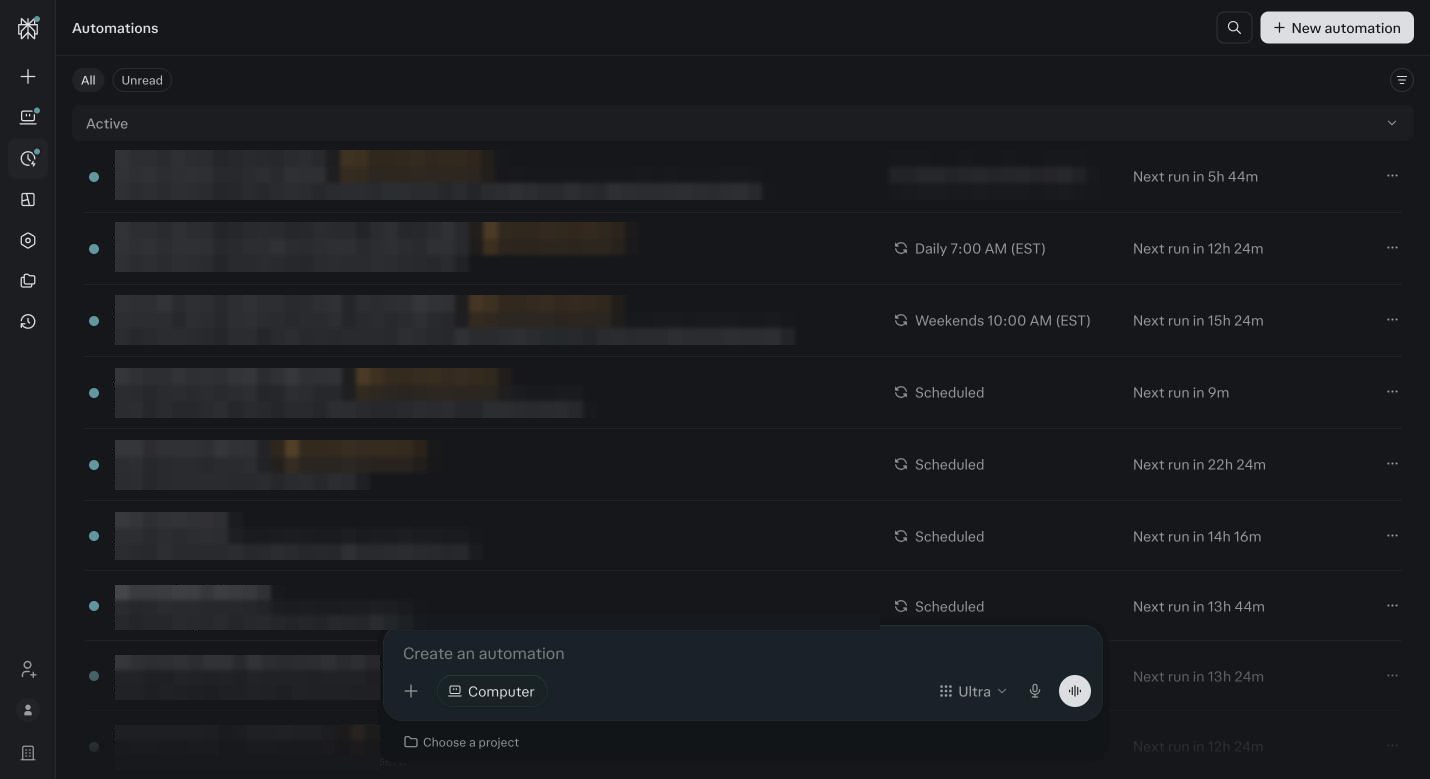
The Automations list on my account. Each row is a job with its schedule and next run. Descriptions blurred, they are client jobs. Click New automation.
The composer opens at the bottom with three things to set: the instruction, the Project it runs in, and the model button. Set the Project to your business Project first, so the automation can read Foundation and your sources.
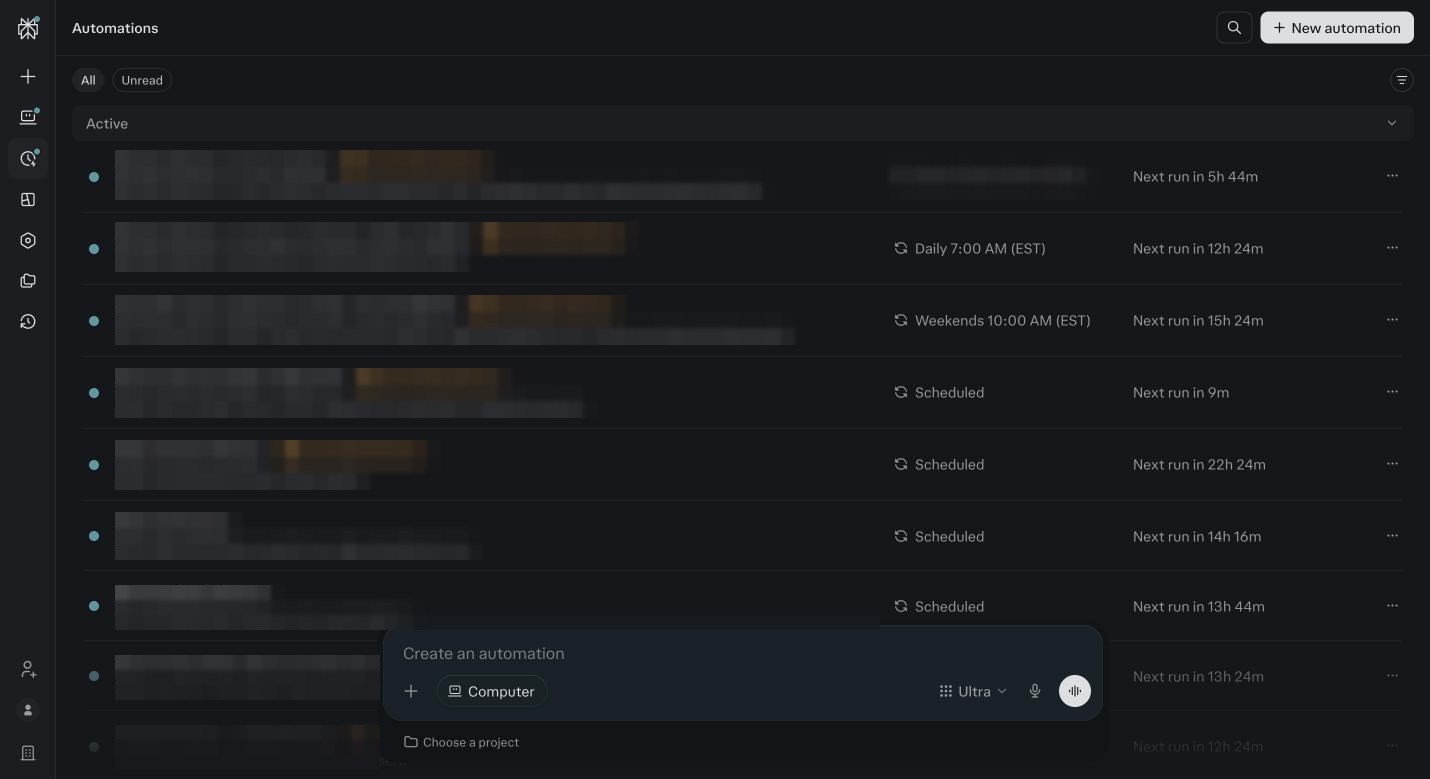
New automation. Write the job, pick the Project, check the model button before you save. Write the daily briefing.
Paste this and edit the time: Every weekday at 8am, read my calendar, my inbox and yesterday’s numbers from my connected tools, and give me a briefing of no more than ten lines: what is on today, what needs a reply, what changed. Draft replies for anything that needs me, and ask me before you send anything. Set the model button to Standard. Save.
Write the weekly review.
Every Friday at 4pm, read every session in this Project from the last seven days and list what each agent produced, what I approved, what I did not use, and three things to tune next week. Ask me nothing, just report. Set the model to High. Save.
Read each automation back.
If it sends, spends, posts or edits anything outside Perplexity, the words ask me before you send must be in it. If they are not, edit it now.
Open your Project.
The right column shows Automations that belong to it. You should see both. This is where you pause, edit or delete them later.
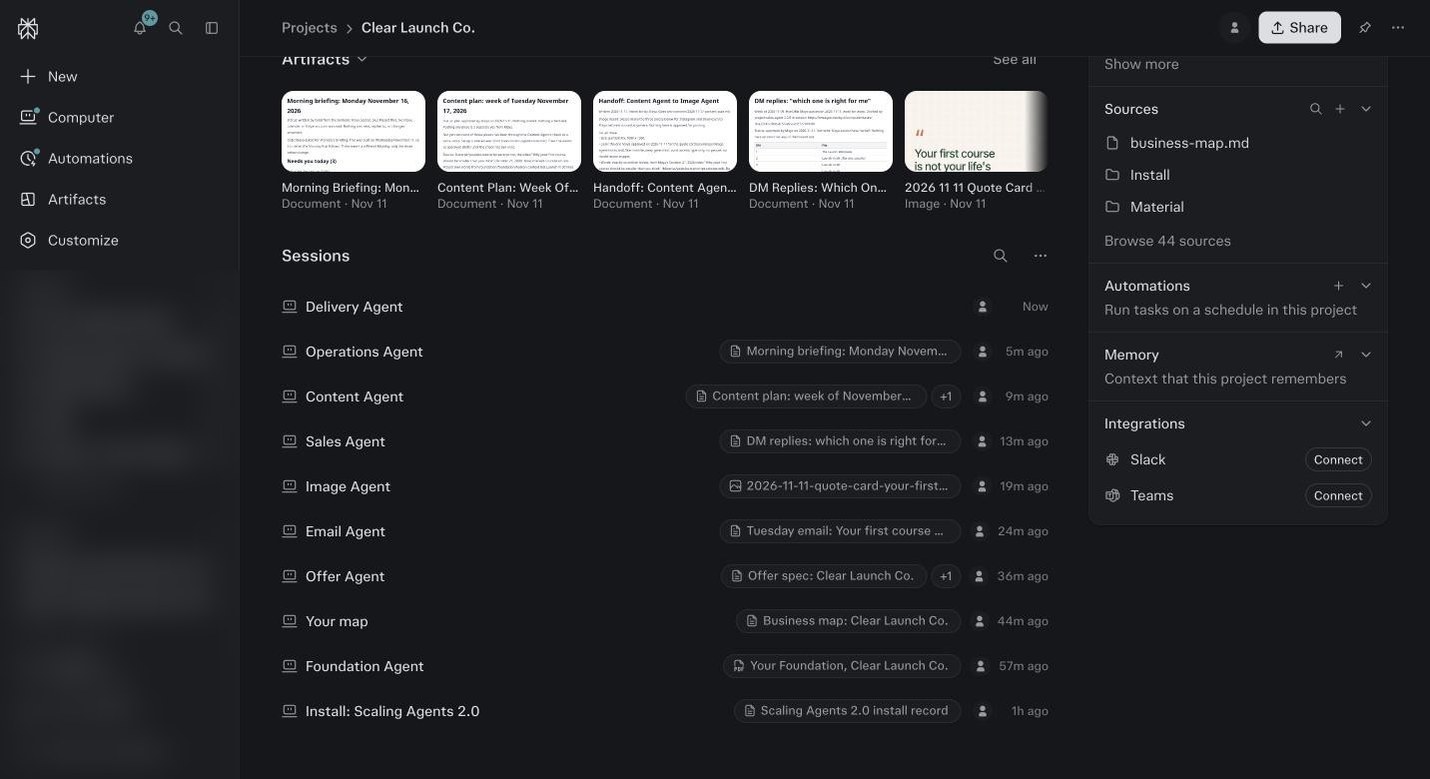
Automations also show inside the Project they belong to, on the right. The demo Project has none yet. After this module, yours will list here. Wait for the first run.
You get a notification. Open the output and read it. If it is too long, say so in the automation’s thread and it adjusts. If it asked for approval, that is the gate working. Approve or decline.
After two weeks, add the automations your agents suggest.
The Finance Agent wants a weekly transaction review. The Ads Agent wants a Monday read of the last seven days. Intimacy wants a daily pass over who bought, who failed billing and who went quiet. One at a time, from your map, each with the approval line in.
Before you ask
Can an automation do things without me?
Only what you allow. Reading and reporting runs alone. Sending, spending, posting or editing stops and asks, unless you set that tool to Allow. Leave write tools on Always ask for the first month.
How do I keep the thread short?
Every few weeks, copy the instruction, delete the automation, and create it again. Or just ask it to start a fresh thread from the next run. A short thread is the biggest cost saver in this whole system.
What if it did not run?
Open it and check two things: the schedule, and the model. If the model it was built on has been retired, the job just sits. Pick a new one.
Which two should I start with?
A daily briefing from the Operations Agent, and a weekly review that reads what every agent produced. Those two make the whole system visible. Add the rest after week two, when your agents start asking for them.
What time should the daily one run?
Thirty minutes before you sit down. If you start at 8, run it at 7:30. It needs a few minutes, and you want it waiting for you, not the other way around.
Where does the output go?
In the automation’s own thread, and as a notification if you turned those on in module 2. Ask it to also email you the result, or post it to Slack, if that is where you live.
Can an automation use Comet or my desktop?
It can, but it needs the machine on and you there for logins and codes, so it is a poor overnight job. Keep scheduled work to things a connector can reach. Module 16 has the rule.
How much will two automations cost a month?
A daily briefing on a light model is 100 to 300 credits a run, so 2,000 to 6,000 a month. A weekly review on High is 300 to 800 a run, so about 1,200 to 3,200. At the low end both fit inside your monthly grant. At the top end they use most of it, so watch the first two weeks.
It ran but asked me to approve something and I missed it.
Open the automation’s thread. The approval is waiting there. Approve or decline. Then check Settings, Notifications so the next one reaches your phone.
Can I pause one without deleting it?
Yes. Open the Project, right column, Automations, and pause it. It keeps its instruction and history. Unpause when you want it back.