Perplexity has a few plans, and I only teach one of them
Quick bit of context. Perplexity sells its paid plans as monthly subscriptions, the same way Netflix does. The two that matter here are Pro, the cheaper one, and Max, the top one. Max is about $200 a month, less if you pay for the year. I always recommend Max, and the whole course assumes you are on it. Here is why.
The things this system runs on only come with Max
Brain, the memory that connects your conversations so Tuesday knows what you decided on Monday, is Max only right now. The monthly credits are Max only. The highest limits for Computer are Max only. Pro gets you in the door with a small weekly allowance and a one time bonus, and no monthly credits. That runs out fast once agents are doing real work.
Which brings me to credits
Credits are how Perplexity measures the work Computer does for you. Every job costs some. The math is simple: 100 credits is one dollar. Max gives you 10,000 credits a month, which is $100 of work, plus a one time 35,000 credit bonus when you start. The bonus expires about 30 days after you get it, so the setup in this course has to happen inside your first month. Your first month will spend more than that, because installing the agents and building your profile happens once, up front. I show you the real numbers in module 17.
One more thing before you click anything
When you sign up through my link, I earn a commission on what you spend, and in this module I ask you to send in a short claim form so I can connect your account to your Scaling Agents access. Nothing in this course changes if you skip my link. Every step works the same.
What you do, step by step
Open the pricing page and compare the three plans.
You want the one on the right, Max. Annual is $167 a month. Monthly shows at checkout.
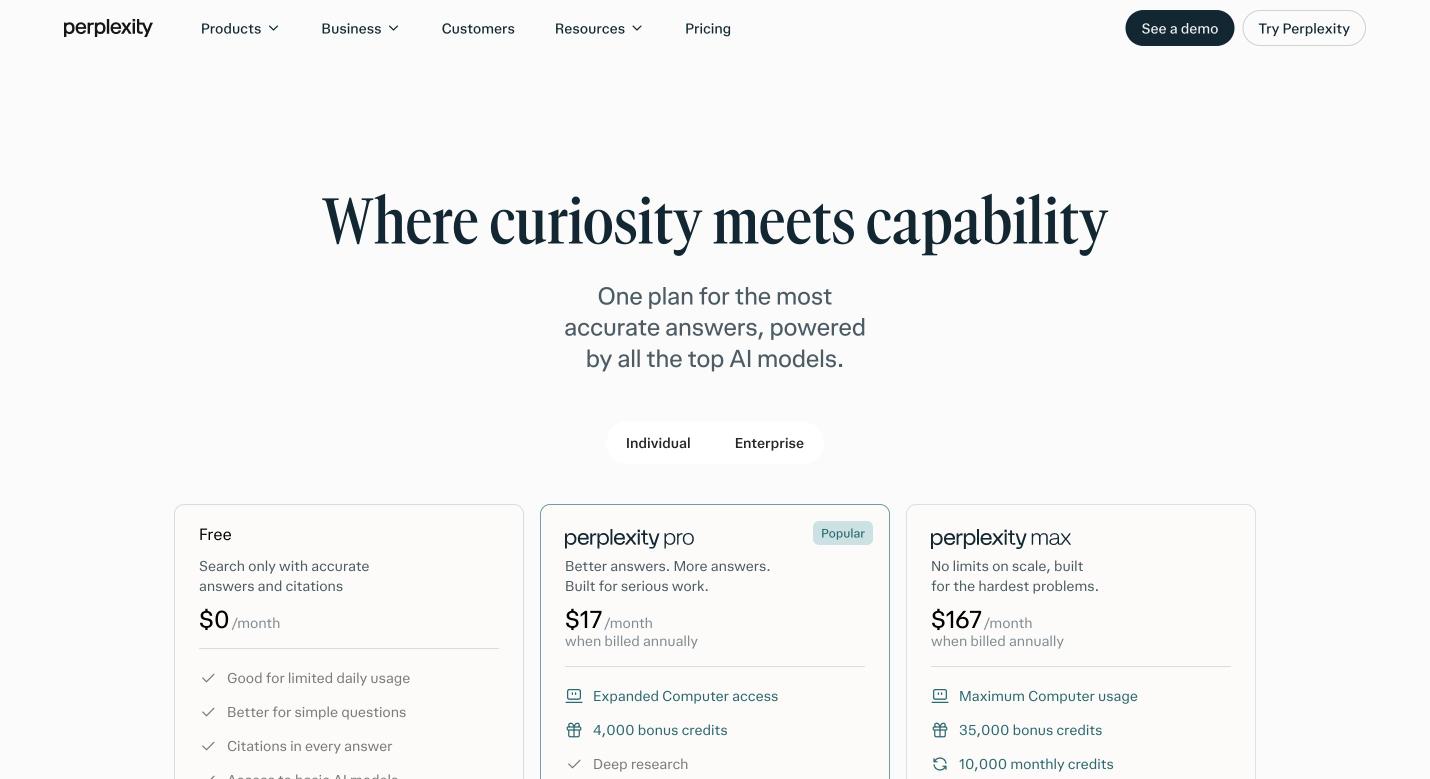
The pricing page. Max is the right hand column: 10,000 monthly credits and a 35,000 one time bonus. Subscribe through my partner link: pplx.ai/scott-oldford-z6li.
It is the same link in your welcome email, so use whichever is handy. That link ties your account to the install.
After you subscribe, submit the claim form that came with the same email.
Without it I cannot connect your account to your Scaling Agents access.
Open Settings.
On the web app, click your name at the bottom left of the sidebar, then Account. Your plan shows under Your subscription.
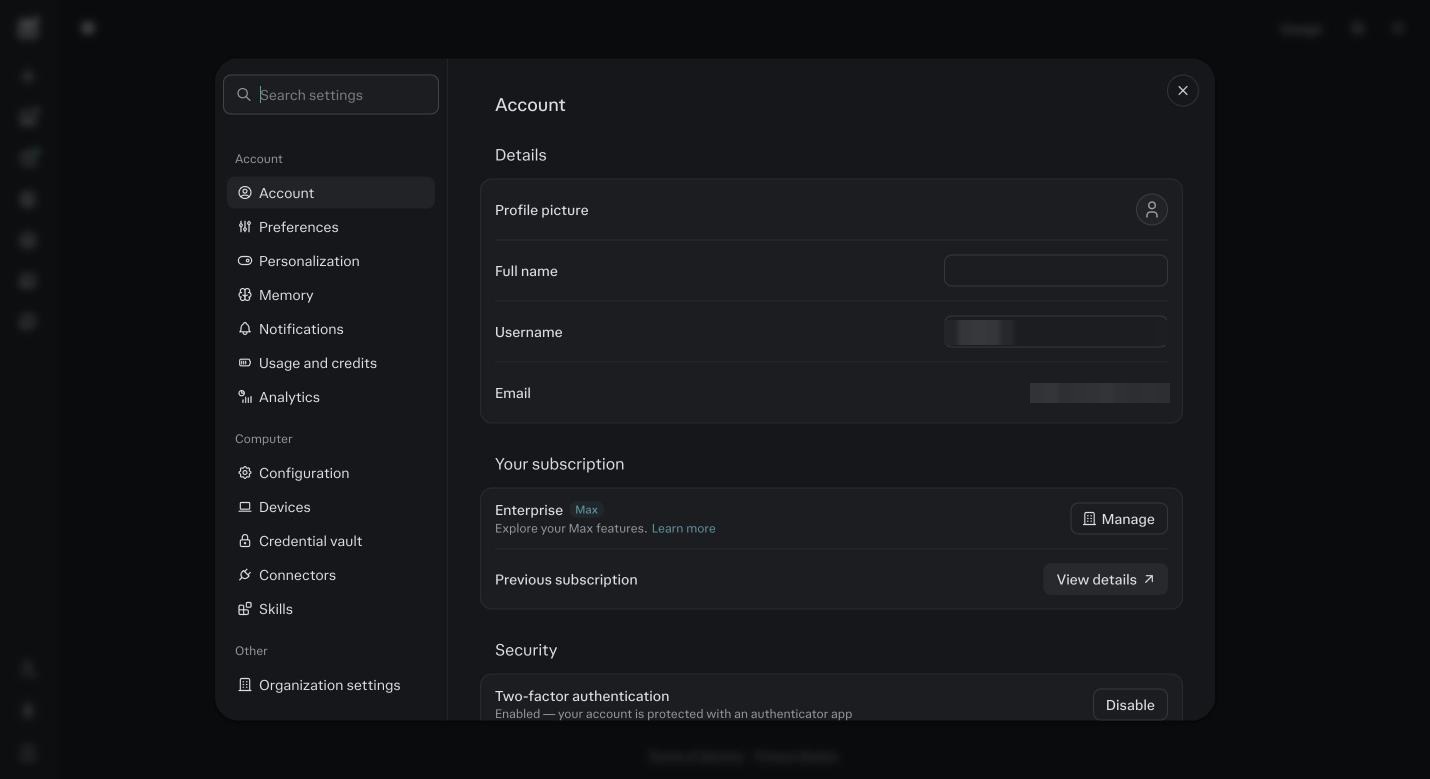
Settings, then Account. Your subscription should read Max. Mine reads Enterprise Max because my account sits inside an organization. Click Usage and credits in the left column of Settings.
Look at it once now so you know where it is before you need it. This is the bill.
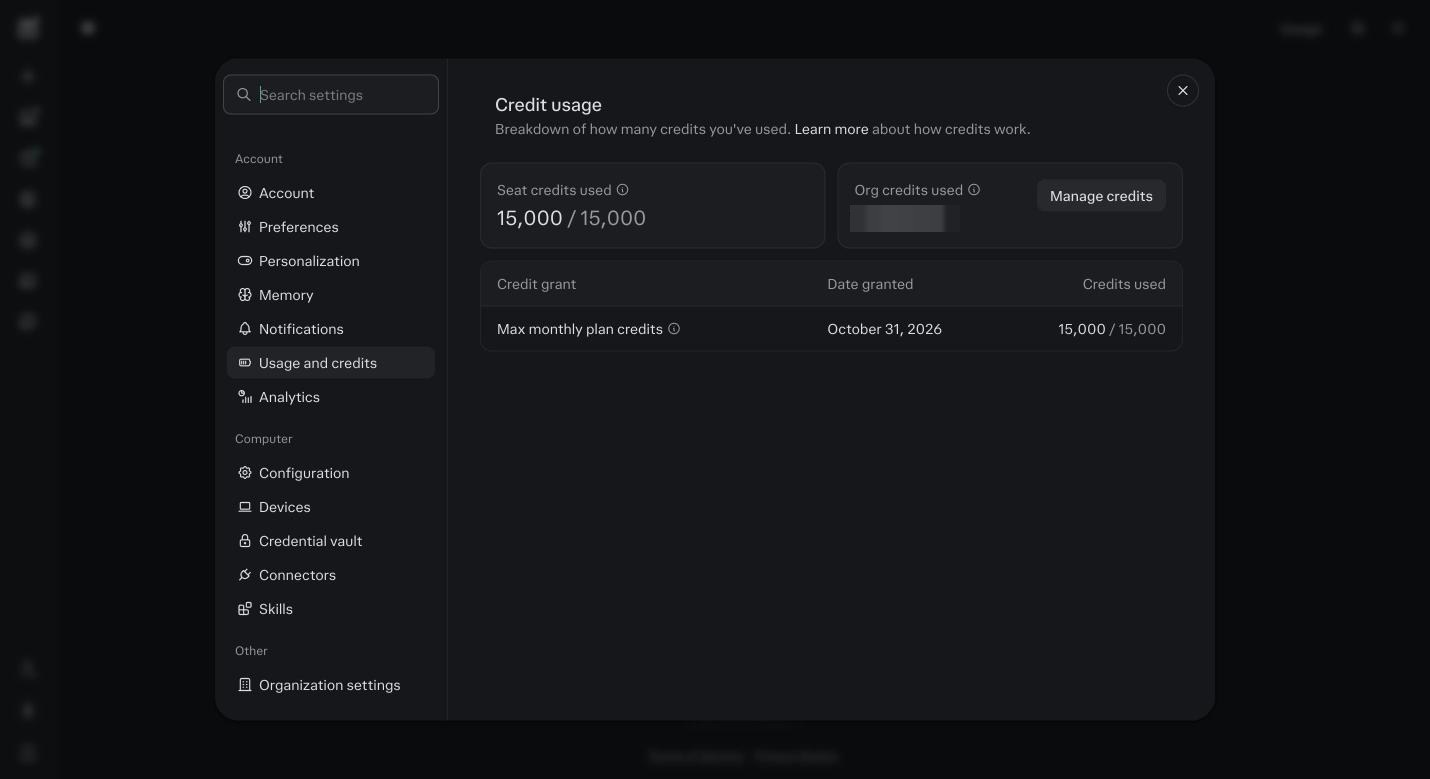
Usage and credits. Seat credits used against your monthly grant, and the date the grant was issued. An individual Max seat shows 10,000.
Before you ask
Do I really need Max, or will Pro do?
For this course, Max. Pro has no monthly credits and no Brain, and both are what the agents run on. You can start on Pro to look around, but every module from 7 on assumes Max.
Monthly or annual?
Annual if you are sure, it is about $167 a month instead of $200. Monthly if you want one month to see it work. Switching later is a button in Settings, Account.
What are credits, in plain terms?
How Perplexity counts the work Computer does. 100 credits is one dollar. A quick question is a few credits. Installing the agents is a few hundred to fifteen hundred, and the first reads after that are a few thousand more. Max gives you 10,000 a month plus a one time 35,000 bonus.
Will the bonus cover setup?
Usually, yes, if you do the setup inside the first 30 days. The bonus expires about a month after you get it. The core install, Foundation Light, the mapping session and the first reads land under 35,000 for a solo business. Module 17 has the ranges by business size.
I already have a Perplexity account. Do I need a new one?
No. Upgrade the one you have, and make sure it is the account you will do the whole course in. Agents, credits, memory and Projects all live in one account. Two accounts is the most common mess I untangle.
What is the claim form for?
It ties your Perplexity account to your Scaling Agents access so your bundle, your updates and your support land in the right place. It takes two minutes. Nothing in the course needs it to work, but the support does.
What if I do not want to use your link?
Then do not. Every step in this course works exactly the same. I say so on the front page and I mean it.
Can my assistant be on the same account?
Not on a personal plan. Each person needs their own account, and you share a Project with them in module 6. Shared logins break the connectors, which you will meet in module 4.